dPanel launches Ubuntu Droplets in your own DigitalOcean team. It signs in with a custom-scoped personal access token that you create for it, limited to Droplets, SSH keys and the lists the launch form reads.
What you need first
- A DigitalOcean team with billing set up. A separate team just for dPanel keeps its access contained.
- An SSH key in dPanel. See Before you start.
1. Create a custom-scoped token
DigitalOcean lets you choose exactly what a token may do. Don't give dPanel a Full Access token.
- In the DigitalOcean control panel, go to API, then Tokens.
- Press Generate New Token, and name it
dpanel. - Pick an expiry. 90 days is a good balance; you will have to rotate it when it ends.
- Under Scopes, choose Custom Scopes and tick only these:
| Scope | Why dPanel needs it |
|---|---|
droplet:create, droplet:read, droplet:delete | Create the Droplet, wait for it, delete it later |
ssh_key:create, ssh_key:read | Import your dPanel SSH key as dpanel-<server name> |
regions:read | The Region list |
sizes:read | The Size sliders and the Droplet size list |
image:read | The Ubuntu image list |
vpc:read | The networks in a region |
- Press Generate Token, and copy it. DigitalOcean shows it only once.
DigitalOcean guides: Create a personal access token, Token scopes.
2. Connect it to dPanel
- In the sidebar, open Cloud Projects. The page is titled Cloud accounts.
- Press Connect a cloud account.
- Fill in Connection name, for example
DigitalOcean SGP. - Under Cloud provider, pick DigitalOcean.
- Paste the token into API token.
- Press Connect cloud account.
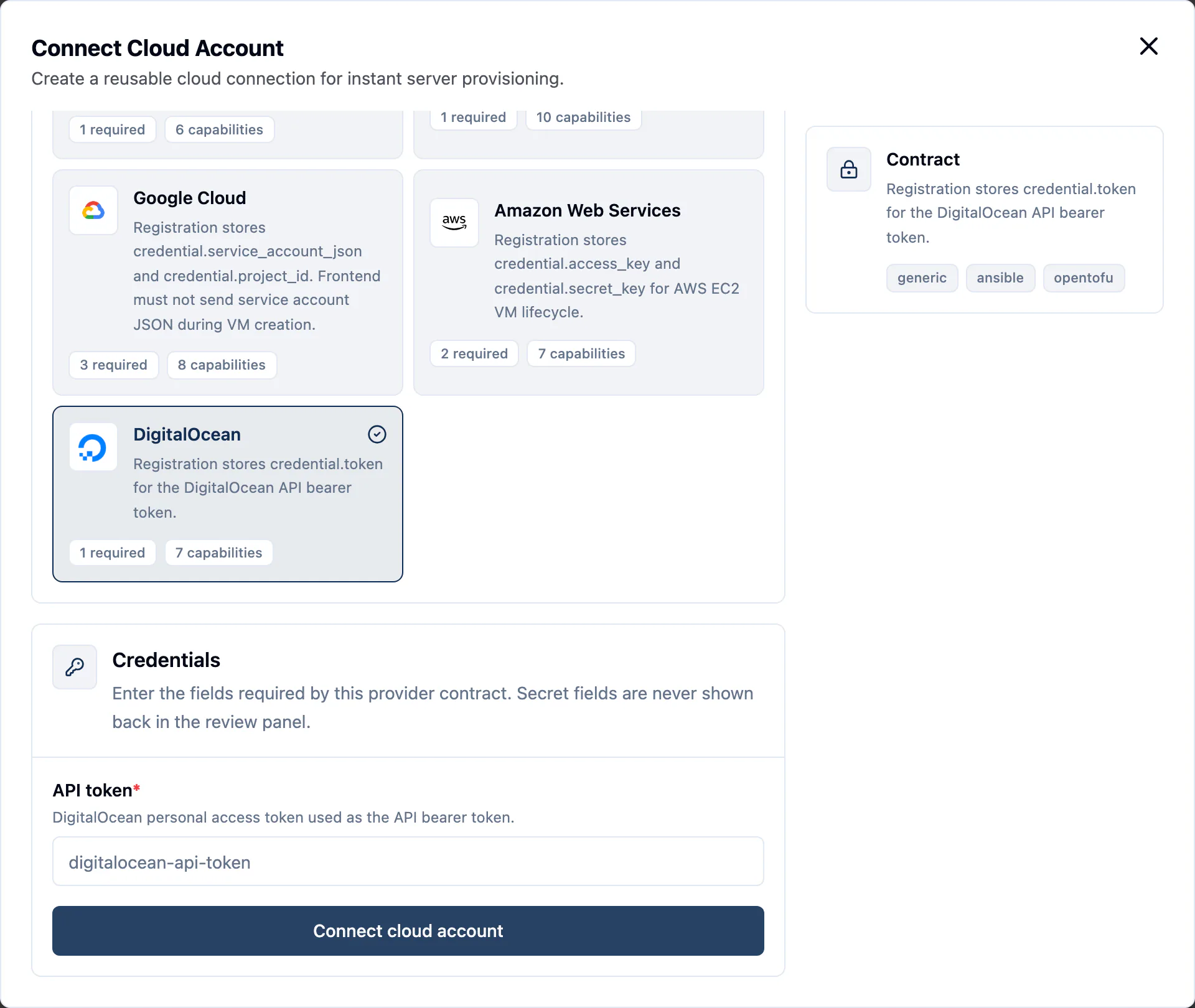
dPanel saves the account as Ready without testing it. The launch form is the first real test: if Region stays empty or errors, check the token and its scopes.
3. DigitalOcean fields in the launch form
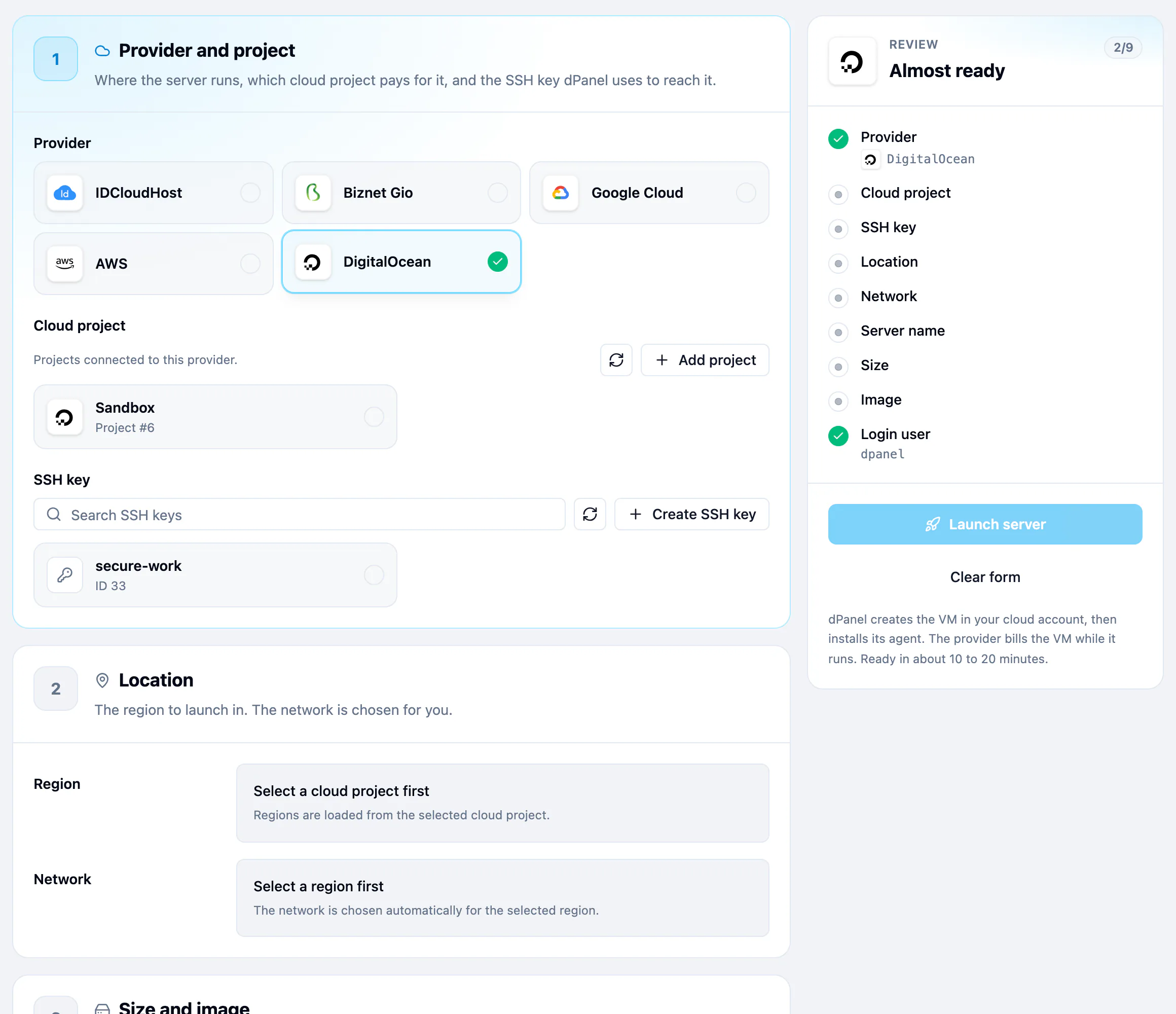
| Field | What to pick |
|---|---|
| Region | The datacenter, such as sgp1. |
| Size | Move CPU and RAM. dPanel launches the cheapest Basic Droplet that fits, such as s-1vcpu-2gb; the disk comes with it. Choose the instance type yourself lists every size. |
| Ubuntu release | 24.04 LTS or 26.04 LTS. |
| Network | The region's default VPC, unless you pick another. |
DigitalOcean adds a fourth step, Access, with Default User: the Linux user dPanel creates and signs in as. dpanel by default.
4. Launch
Follow Create a cloud server. Pick DigitalOcean in step 1.
DigitalOcean gotchas
- An SSH key appears in your team. Each launch imports your dPanel public key as
dpanel-<server name>under Settings, Security. Deleting the server does not remove it. - No firewall from dPanel. dPanel creates no Cloud Firewall. A new Droplet accepts traffic on every port until you add one. Allow TCP 22, 80 and 443 if you add a firewall, or dPanel and your apps stop working.
- Droplet limit. New teams can only run a few Droplets. A launch that fails with a limit error needs a higher limit from DigitalOcean.
- No backups. dPanel turns on neither DigitalOcean backups nor monitoring. Enable them in the control panel if you want them; backups cost extra.
- Billing runs from launch. You pay for the Droplet while it exists, even when it is powered off.
Security
- With custom scopes, the token can create, read and delete Droplets and SSH keys, and read regions, sizes, images and VPCs. It can't touch Spaces, databases, DNS or billing.
- With Full Access, it can do anything in the team, so don't.
- To rotate the token, create a new one in the same team and replace it with Update credentials on the cloud account. See Rotating a credential.
- To cut dPanel off, delete the token under API, Tokens. Running servers keep running. See what happens when you revoke.
- More in Cloud credentials and security.
Frequently asked questions
Who pays for the server?
DigitalOcean bills you directly, because the server runs in your own account. dPanel does not resell machines. Delete the server in dPanel when you are done, so the provider stops charging. See Delete a server.
Can I also use the dPanel firewall on this server?
Yes. The dPanel firewall runs on the server itself, behind DigitalOcean's own network rules, so a port must be open in both to be reached.
What happens to my servers if I revoke the credential?
They keep running, but dPanel can no longer launch or delete machines with it. See Cloud credentials and security.