You can change how a dPanel application is built and run at any time, from one setting to the whole form, or delete it. Changes take effect from the next release.
Review the setup
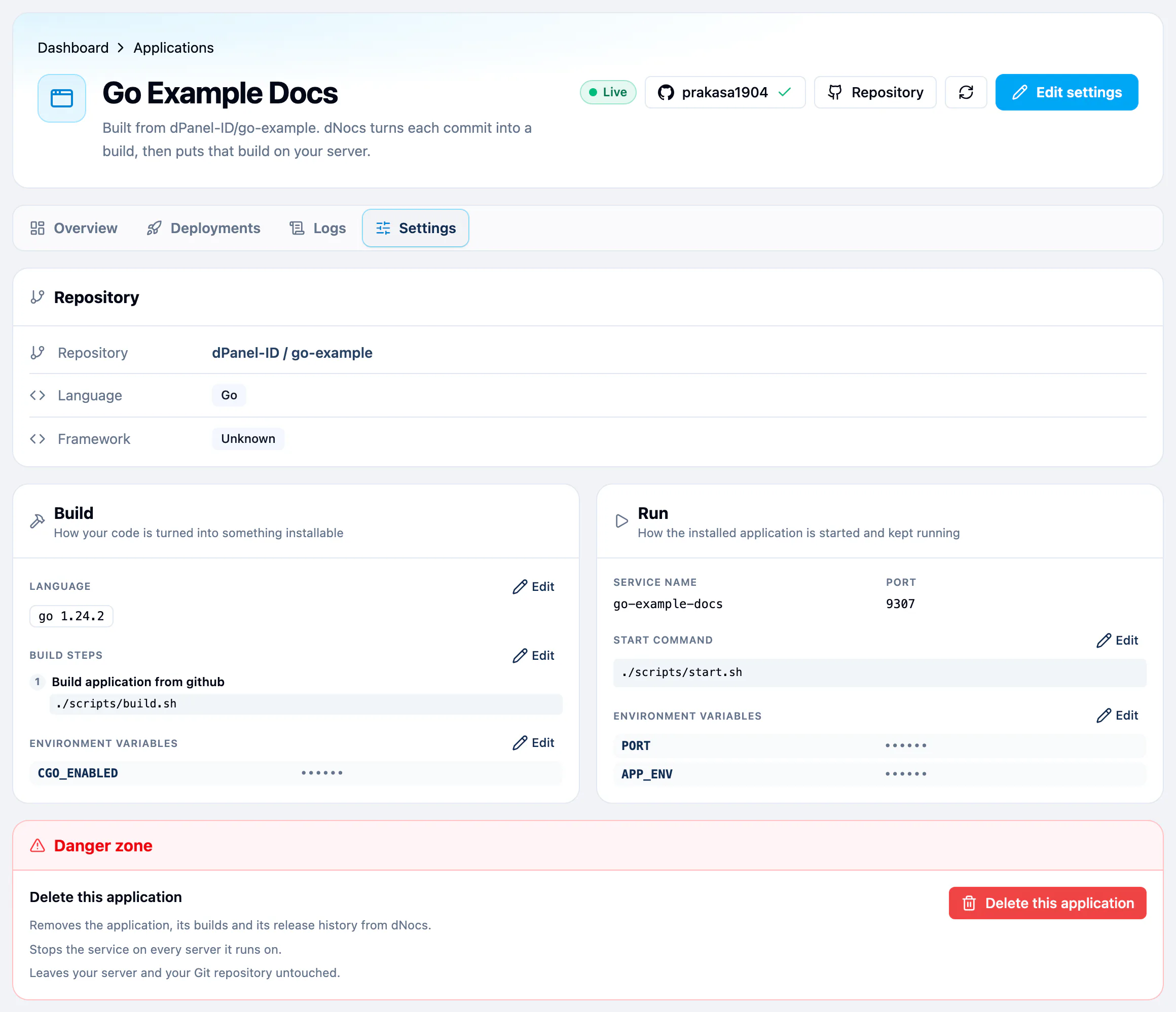
Open the application and go to Settings. How this application is set up shows three blocks.
| Block | Shows |
|---|---|
| Repository | The repository, its language and framework. |
| Build | The language runtime, the build steps, and the build-time environment variables. |
| Run | The service name, the port, the start command, and the runtime environment variables. |
Make a quick change
Each item with an Edit button opens a panel for just that part.
| Edit next to | Opens | Change |
|---|---|---|
| Language | Edit Setup Configuration | The language and its version. |
| Build steps, Environment variables (Build) | Edit Build Configuration | The build steps and build-time variables. |
| Start command, Environment variables (Run) | Edit Runtime Configuration | The start command and runtime variables. |
Press Save in the panel. The change applies from the next release, so release again with Build and release or Redeploy.
Change everything at once
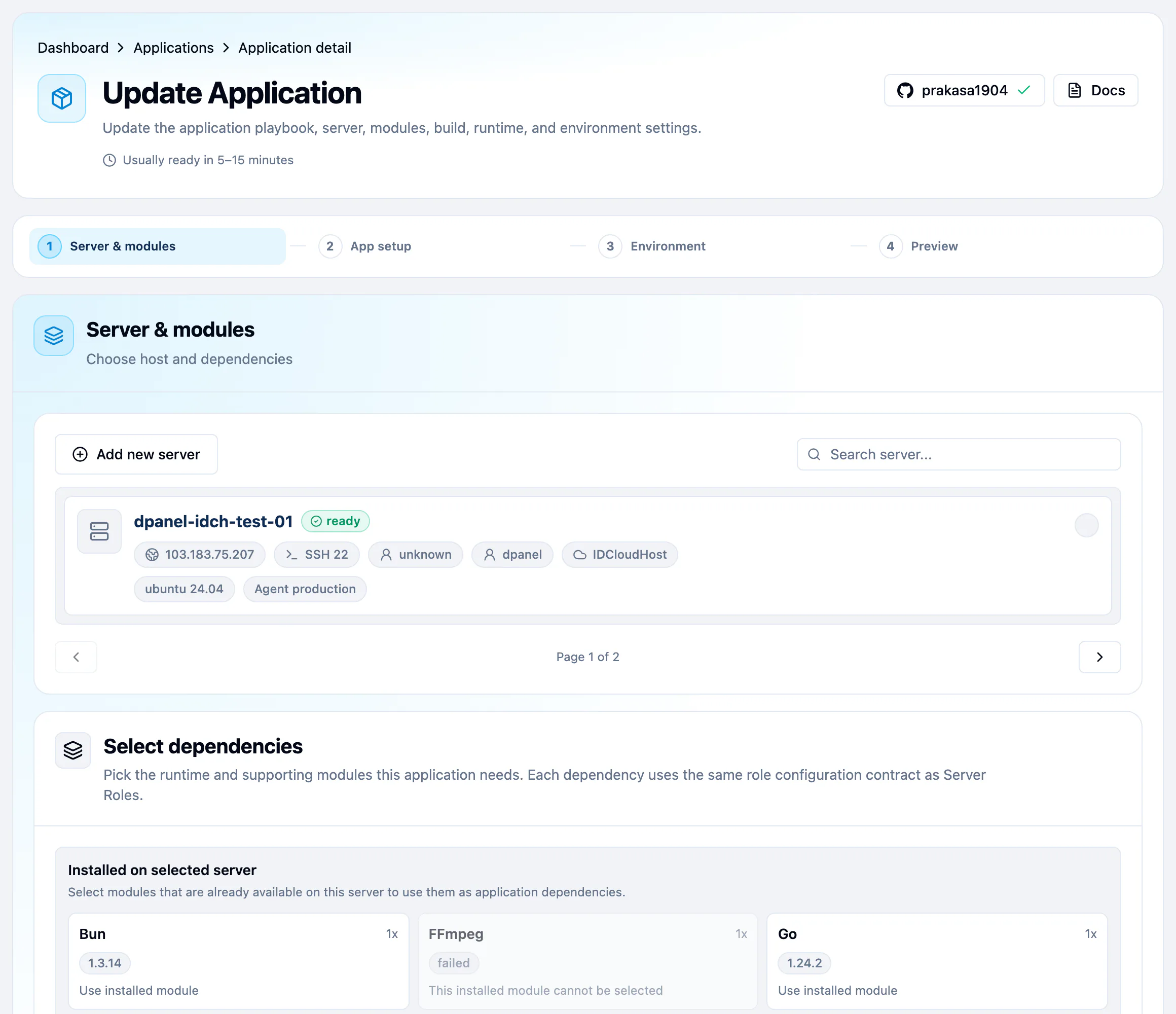
Edit settings at the top of the application opens Update Application. It is the same five-step form you created the application with, filled in with the current values: server and modules, name, commands, port and environment.
- Press Edit settings.
- Walk through the steps and change what you need.
- On Preview, tick Run bootstrap playbooks if you changed modules or the server's dependencies need to be applied again.
- Press Save changes.
dPanel updates the application definition (the saved description of how to build and run it) and submits the playbook inputs for it.
Delete an application
The Danger zone sits at the bottom of Settings.
- Press Delete this application.
- Confirm in the Delete Application dialog.
Frequently asked questions
Do my changes apply straight away?
No. They apply from the next release. Press Build and release or Redeploy after saving.
When should I tick Run bootstrap playbooks?
When you added or changed modules, such as a new runtime version. dPanel then installs them on the server again before the next build.
Does deleting an application delete my repository or server?
No. Your Git repository and your server stay. dPanel stops the service and removes the application, its builds and its release history.
Can I delete an application from the terminal?
dnocs application delete deletes an application that has no deployments. Delete its releases first, or use Delete this application in the web UI.