You can add a server you already run, at any hosting company or at home, to dPanel. dPanel signs in over SSH with one of your dPanel SSH keys, installs its agent, and the machine then works like any server dPanel launched. It takes about 5 minutes and needs no cloud account.
What you need first
- A server running Ubuntu or Debian that dPanel can reach over SSH from the internet.
- A Linux user on it that can use
sudo, orroot. - An SSH key in dPanel. You can also create one inside the form.
Connect it
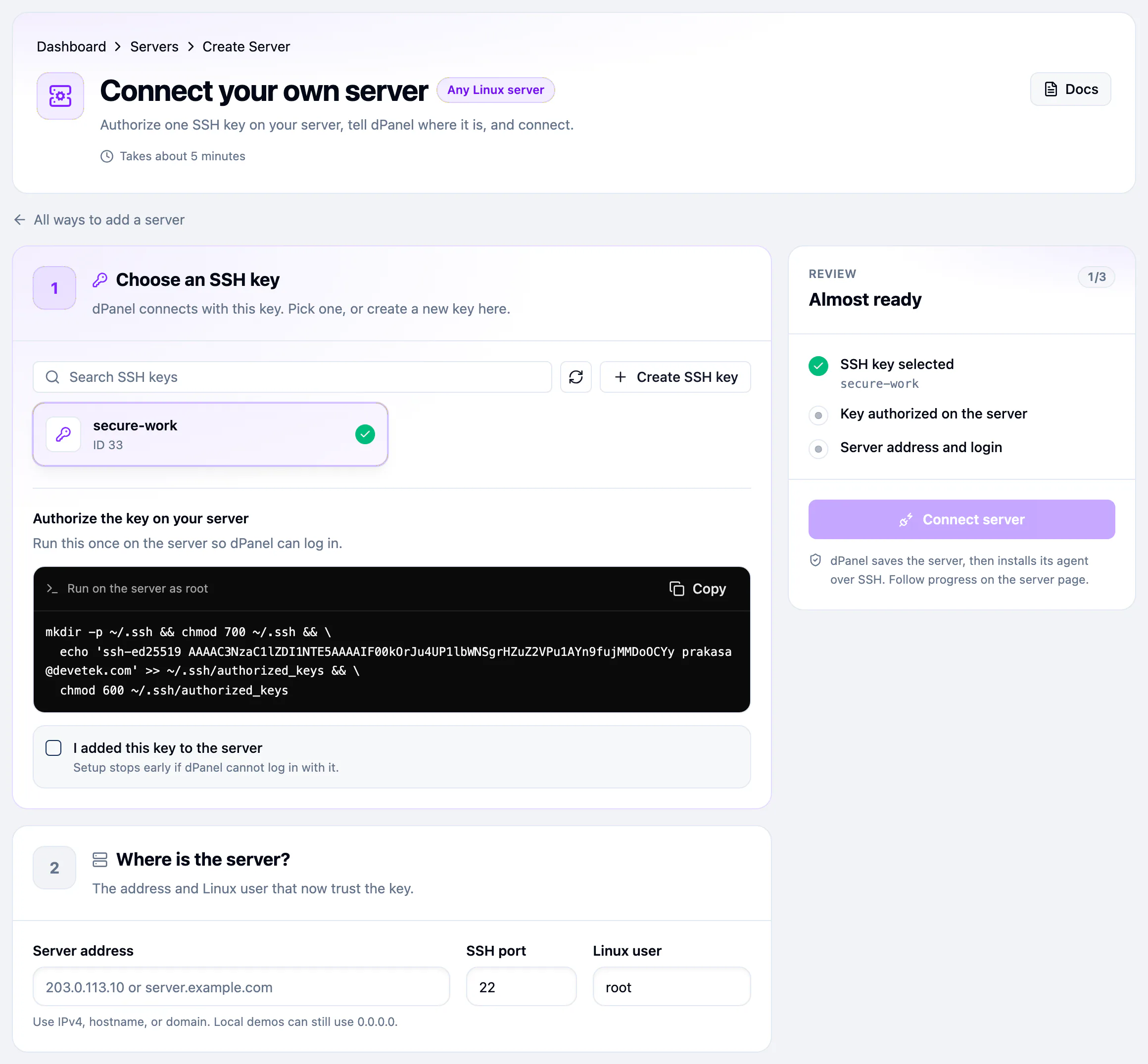
- Open Servers, then Create Server, then Connect a server.
- Under Choose an SSH key, pick a key, or press Create SSH key.
- Copy the command under Authorize the key on your server and run it once on the server. It adds the key's public half to
~/.ssh/authorized_keys. - Tick I added this key to the server.
- Under Where is the server?, fill in Server address (an IPv4 address, hostname or domain), SSH port and Linux user.
- When the Review panel reads 3/3, press Connect server.
What happens next
dPanel saves the server, then installs its agent over SSH. Follow the progress on the server page. It usually takes about 5 minutes.
When the badge reads Ready, the server works like any other. See Your server page.
Frequently asked questions
Which operating systems can I connect?
Ubuntu and Debian. dPanel installs its agent and modules with the standard tools of those systems.
Does dPanel need the root password?
No. dPanel signs in with an SSH key, never a password. The Linux user you enter must be root or able to use sudo.
Does my server need a public IP address?
dPanel must be able to reach the Server address and SSH port you enter. A server behind a home router needs the SSH port forwarded to it, or a public address.
What happens if I remove the server from dPanel?
dPanel forgets it and your machine keeps running, with everything on it. See Delete a server.
Setup failed. How do I try again?
Fix the cause shown under See what happened (often the key is not in authorized_keys, or the user can't use sudo), then press Reinstall on the server's Settings tab. From the terminal, dnocs server setup --id <server ID> does the same.