A generic group in dPanel is a saved list of servers. Every action you run on the group runs on each of its servers, and you follow each server's result in one place. The servers stay independent: one failing doesn't stop the others.
Create a generic group
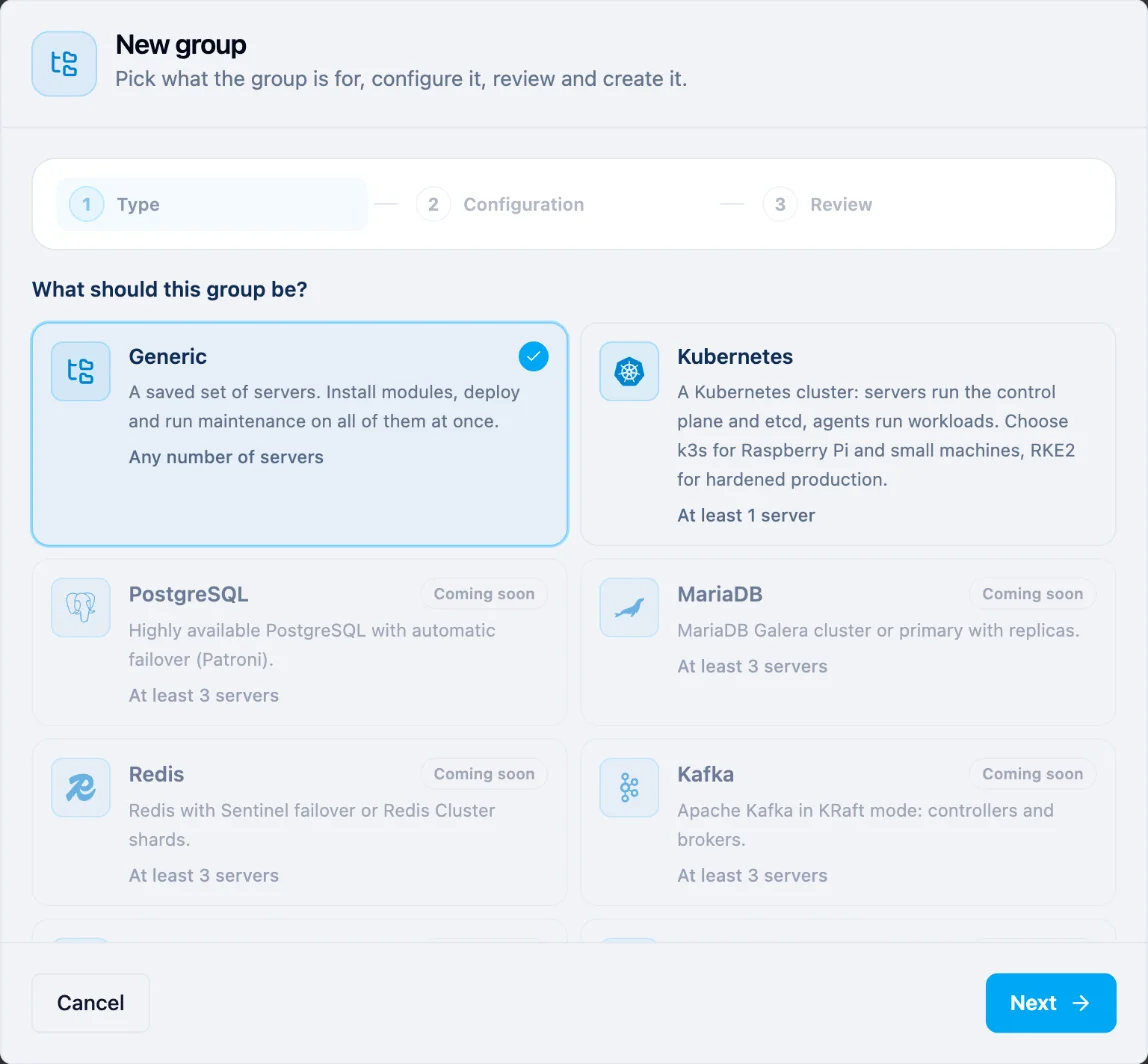
- Open Servers, then Server groups, and press New group.
- Under What should this group be?, keep Generic and press Next.
- Type a Name, for example "Production web", and an optional Description. Press Next.
- Check the Review and press Create group.
The group starts empty. On its page, press Add servers and pick the servers. A server can be in one group only.
Run an action on every server
Open the group and go to Operations. Under Run on this group:
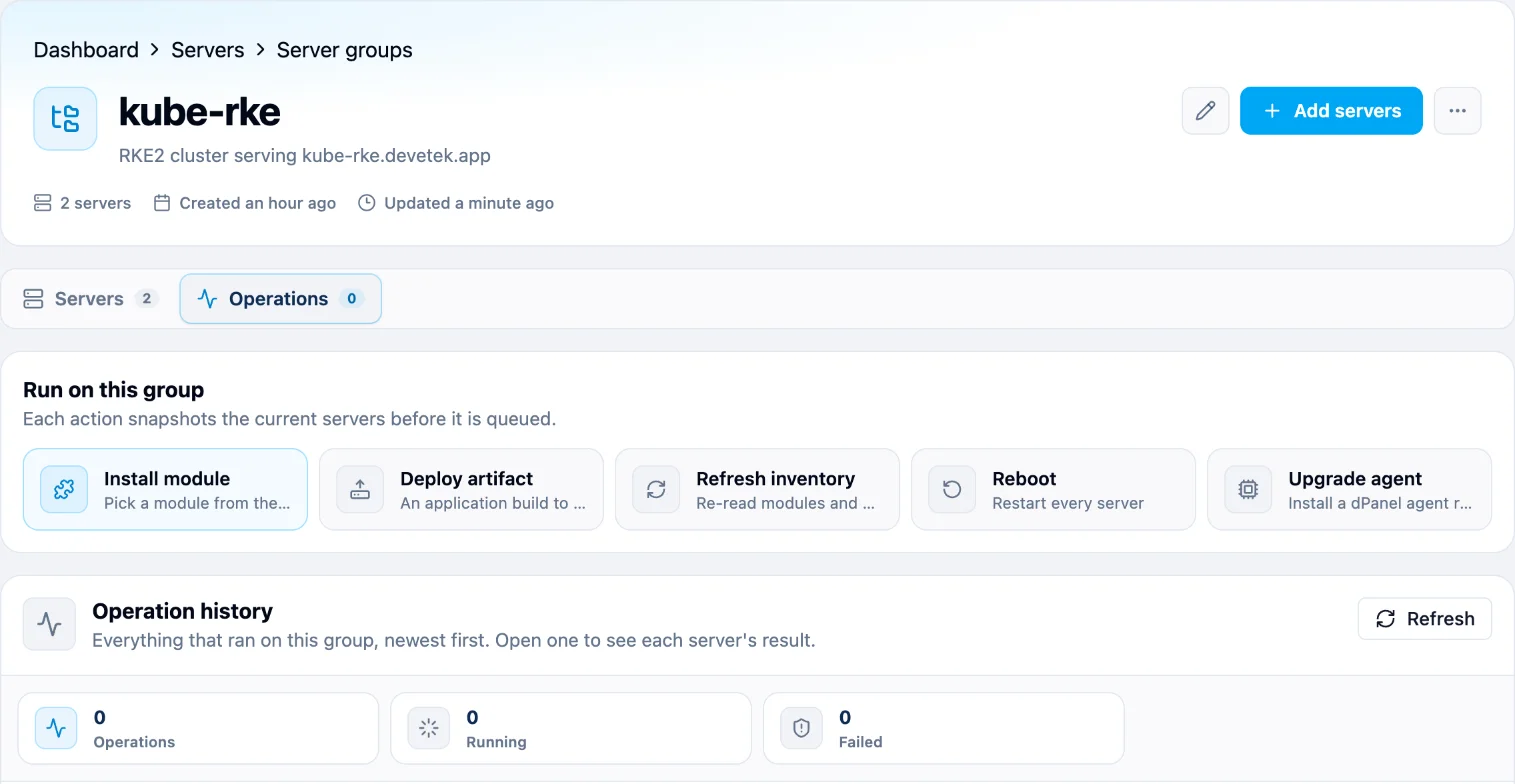
| Action | What it does |
|---|---|
| Install module | Installs a module from the catalog on every server |
| Deploy artifact | Deploys one build of an application to every server |
| Refresh inventory | Re-reads the installed modules and services on every server |
| Reboot | Restarts every server; their applications are briefly down |
| Upgrade agent | Installs a dPanel agent release on every server |
Each action records the servers in the group at that moment, then runs on each of them. Operation history lists everything that ran, newest first, with how many servers succeeded and failed. Open shows each server's result and links to its execution. If some servers failed, Retry failed servers runs the action again only on those.
Change or delete the group
- Add servers and Remove change who is in the group. Replace servers sets the whole list at once.
- Edit changes the name and description.
- Delete group removes the group only. The servers keep running as they are, and past operations and their logs stay.
From the terminal
dnocs server group manages the same groups: list, create, detail, add-server, remove-server, replace-members, update, delete, and operations to list or run the actions above. See AI in the terminal to install dnocs.
Frequently asked questions
Does deleting a group delete its servers?
No. The servers keep running exactly as they are; they are simply no longer grouped. Past operations and their logs stay.
Why can't I add a server to my group?
A server can be in one group only, so it is probably in another group already. Remove it there first. Already in group in the picker means it is in this group.
What happens if an action fails on some servers?
The other servers still succeed. Open the operation in Operation history to read each server's error, fix it, then press Retry failed servers.
Does an action include servers I add later?
No. Each action records the servers in the group when you start it. Run it again to include new servers.