dPanel gives you an SSH terminal in the browser: press Open terminal at the top of a server page, and dPanel signs in with the key it holds and opens a shell. Most of the time you won't need one, because the tabs cover services, users, files and logs.
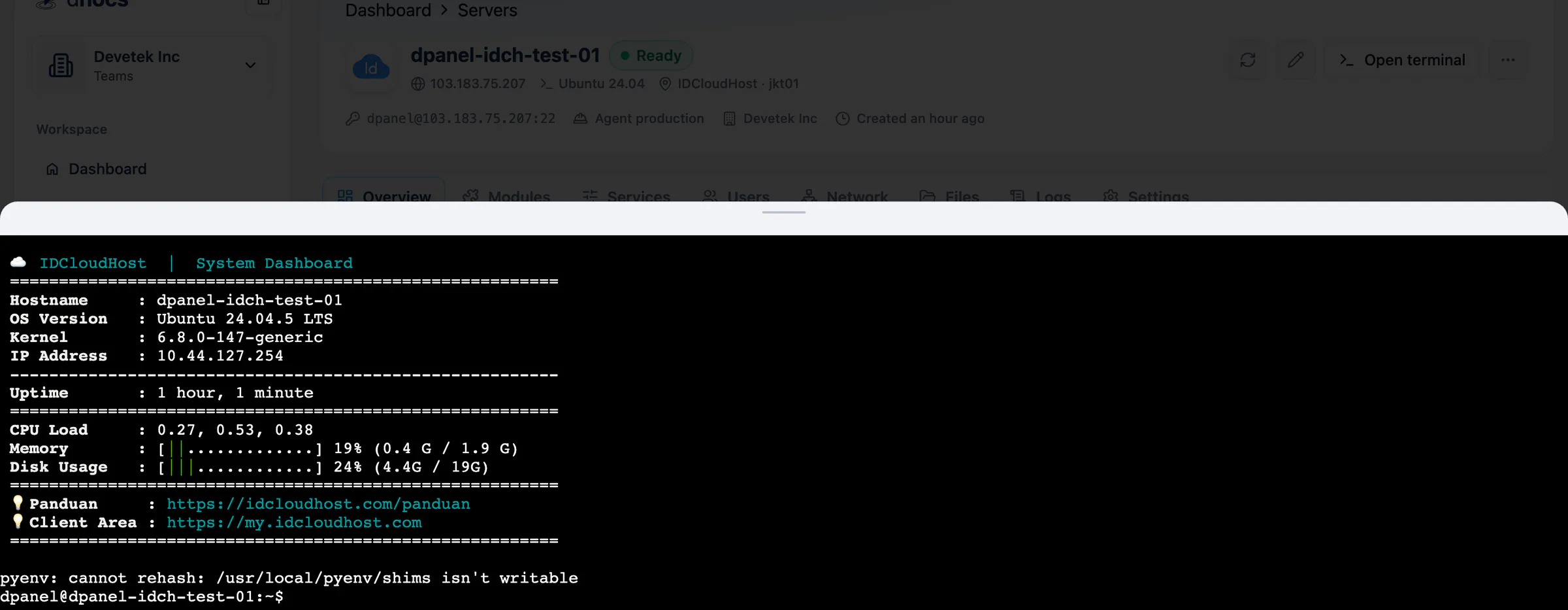
You install nothing on your computer, and you don't need the private key. The session belongs to the login user dPanel set up. The server header shows it, for example [email protected]:22.
| Provider | Login user |
|---|---|
| Google Cloud, AWS, Tencent Cloud | ubuntu |
| Alibaba Cloud | root |
| DigitalOcean, IDCloudHost | dpanel |
| A server you connected | The Linux user you entered |
From your own machine
If you prefer your own terminal, connect with any SSH client using the login in the server header.
ssh [email protected]
For that to work, your computer's own public key has to be on the server. The key dPanel generated stays inside dPanel. Add yours to the server's authorized_keys, through the browser terminal or the file manager.
echo "ssh-ed25519 AAAA... [email protected]" >> ~/.ssh/authorized_keys
Paste your own public key in place of the example. On your machine it is usually ~/.ssh/id_ed25519.pub.
Frequently asked questions
Do I need to install anything to use the browser terminal?
No. Open terminal works in the browser with the key dPanel holds.
Can I run commands as root?
The login user can use sudo, so start a command with sudo when it needs administrator rights.
Why does ssh from my computer say permission denied?
Your computer's public key is not on the server yet. Add it to ~/.ssh/authorized_keys as shown above, as the same login user.
Is there a terminal command instead of the browser?
dnocs server exec runs a shell script on a server through dPanel. See AI in the terminal to install dnocs.