Once you have more than one server, you start doing the same thing many times: install Node.js on every web server, upgrade the agent everywhere, reboot them all after an update. A server group puts those servers under one name so you do it once.
Some software goes further: it needs several servers to work together as one system, so that if one server dies the others carry on. That is a cluster. In dPanel, a cluster is built on a server group, so you create both in the same place.
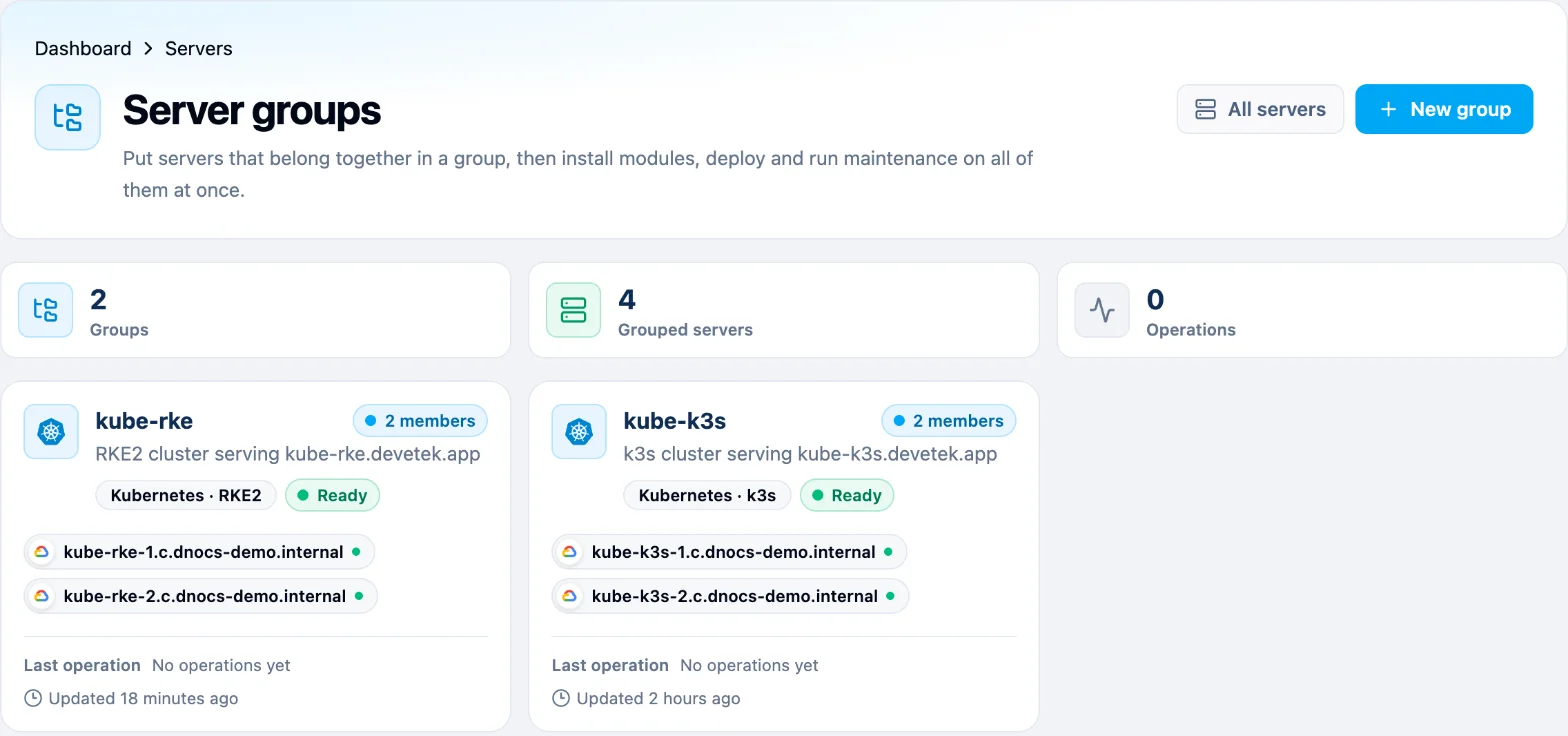
Two kinds of group
When you press New group, dPanel first asks What should this group be?
| Generic group | Cluster group (Kubernetes) | |
|---|---|---|
| What it is | A saved list of servers | Servers that run one Kubernetes cluster together |
| The servers | Stay independent. Each one does its own job | Share the work. Apps move between them |
| What you do with it | Install a module, deploy, refresh, reboot or upgrade on all at once | Run containerized apps that keep running when a server fails |
| If one server fails | Only that server's result fails; the others still succeed | The cluster moves its apps to the servers that are still up |
| Changing its servers | Add or remove servers any time | Fixed when you create it |
| Example | "All production web servers": install PHP 8.5 on 12 servers | "kube-k3s": a small Kubernetes cluster on two VMs or three Raspberry Pis |
Think of a generic group as a mailing list: one message, everybody gets a copy, each person acts alone. A cluster is a team: the members split the work and cover for each other.
Guides: Generic groups, Kubernetes with k3s and Kubernetes with RKE2.
What Kubernetes is
Kubernetes (often written K8s) runs your applications in containers across several servers and keeps them running for you. A container is an application packed together with everything it needs to run, so it starts the same way on any server. More words like these are in the Glossary.
- You tell it what you want, for example "two copies of my web app".
- It decides which server runs each copy.
- If a copy crashes, it starts a new one. If a whole server goes down, it starts the copies on another server.
- It spreads requests over the copies, so one busy copy doesn't slow everyone down.
A Kubernetes cluster has two roles:
| Role | Also called | What it does |
|---|---|---|
| Server | control plane, master | The brain: stores the cluster's state and decides where apps run. It can run apps too |
| Agent | worker node | The muscle: runs your apps. Add more agents to get more capacity |
One server is enough to start. For a cluster that survives losing a server, use three servers (an odd number, so they can always agree on who is in charge).
k3s or RKE2
dPanel installs Kubernetes with one of two engines. Both are certified Kubernetes, so the same apps and kubectl commands work on either.
| k3s | RKE2 | |
|---|---|---|
| In one line | Lightweight Kubernetes in a single small program | Security-focused Kubernetes from Rancher, CIS-ready |
| Runs on | amd64, arm64 and armhf (Raspberry Pi) | amd64 and arm64 |
| Smallest server | 1 CPU, 1 GB memory (2 GB comfortable) | 2 CPU, 4 GB memory |
| Good for | Learning, small VMs, Raspberry Pis, edge sites | Production, regulated work, teams that need hardening |
| Install time | About 10 minutes for two servers | About 12 minutes for two servers |
| Step-by-step guide | Kubernetes with k3s | Kubernetes with RKE2 |
Not sure? Start with k3s. You can create an RKE2 cluster later on other servers.
Rules that keep your servers safe
- A server can be in one group only. The picker marks servers that are Already in a group. The Kubernetes wizard does not offer deleted servers.
- A cluster's servers change only through the cluster. You can't remove a server from a cluster group by hand, and a server that is a cluster node can't be deleted. This stops a half-removed node from breaking the cluster.
- Kubernetes owns its servers. dPanel refuses servers that already run Docker, k3s or RKE2, and servers with the dPanel firewall turned on, because they would fight over the same network rules.
- One region for the control plane. Servers with the Server role must be in the same region. Cluster members talk to each other all the time, and a slow link between regions makes the cluster unstable. An Agent in another region is allowed, but dPanel warns you that its traffic crosses regions.
- Permissions. Creating, uninstalling and deleting a cluster needs the cluster editor and server editor permissions in the workspace. Owners and admins have both.
From the terminal
The dnocs CLI has the same commands: dnocs server group for groups and dnocs cluster for clusters (kinds, create, detail, install, uninstall, delete). dnocs cluster kinds lists the engines and versions you can pick. See AI in the terminal to install it.
You can also ask Ask dPanel to create a group or a cluster for you; it shows the plan for your approval first. See Prompt cookbook.
Frequently asked questions
Do I need a cluster to run my application?
No. Most applications run fine on one server as a dPanel application. Use a cluster when an app must keep running if a server fails, or when you already work with Kubernetes.
How many servers does a cluster need?
One is enough to start. For a control plane that survives losing a server, give three servers the Server role. The number of Server nodes must be odd, up to seven.
Can I turn an existing generic group into a cluster?
No. Pick the type when you press New group. Deleting a cluster does the opposite: the group stays as a generic group with the same servers.
Which engine should I choose?
Start with k3s. It is lighter and runs on Raspberry Pi. Pick RKE2 for hardened production servers with at least 4 GB of memory.