A workspace in dPanel is the boundary (a separate box) around a set of servers, applications, load balancers, domains, cloud accounts and SSH keys. You only see what belongs to the workspace you are in, and you switch workspace from the top of the sidebar.
Two kinds of workspace
| Kind | Who sees it | Use it for |
|---|---|---|
| Personal | Only you | Trying things out, side projects |
| Team | Every member of the team | Shared servers and applications |
Every account has a personal workspace. A team workspace is the same thing as a team: creating a team creates its workspace. See Teams.
Switch workspace
The current workspace is shown at the top of the sidebar, under the dnocs logo.
- Press the workspace name at the top of the sidebar.
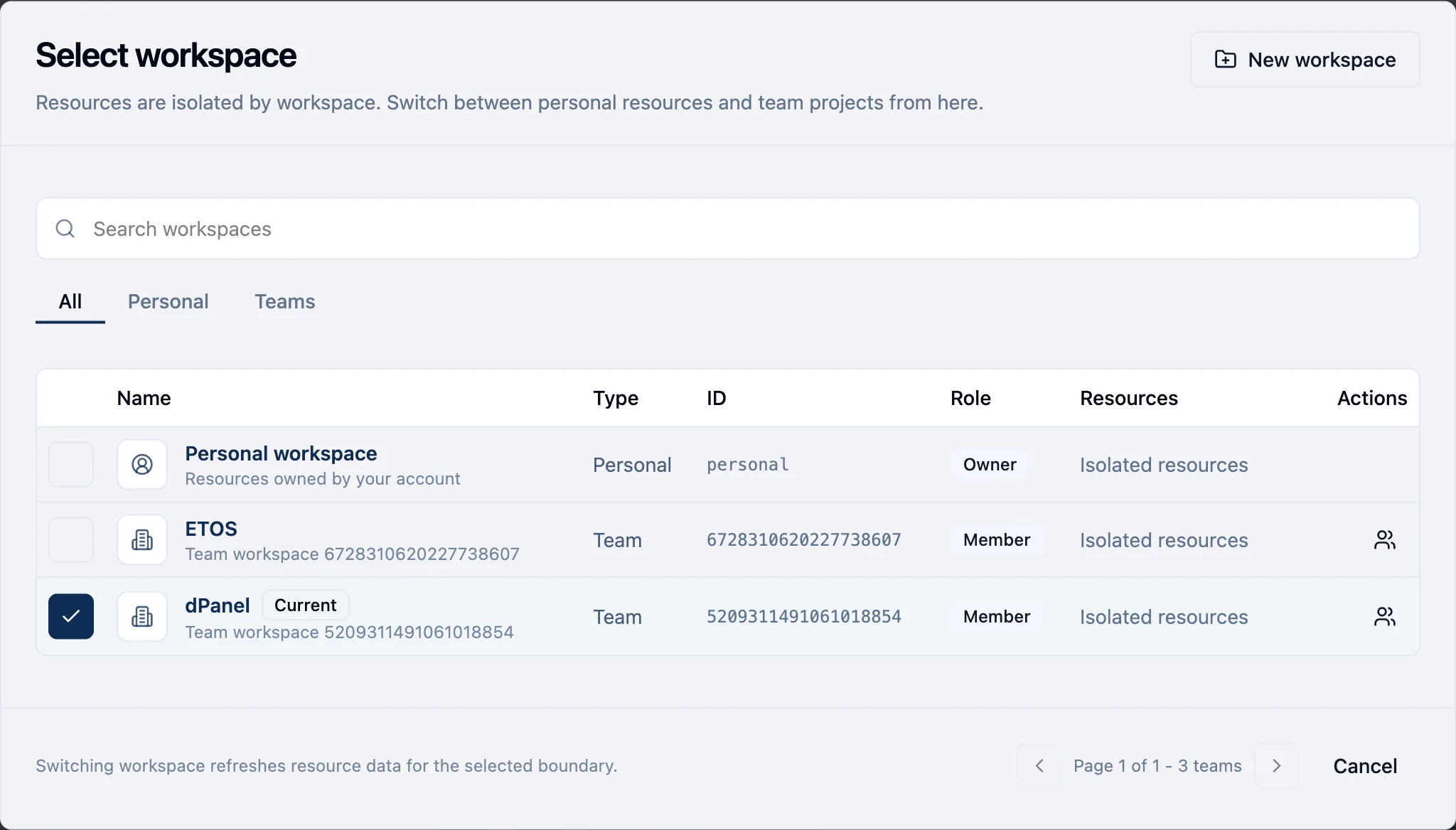
- In Select workspace, find the one you want. The tabs All, Personal and Teams narrow the list, and Search workspaces finds one by name, in any letter case. The workspace you are in is marked Current.
- Press the row. dPanel reloads the data for that workspace.
dPanel remembers your choice in this browser. The next time you open dPanel here, you are in the same workspace.
From the same dialog
- New workspace creates a team workspace. See Create a team.
- The people icon at the end of a team row (Manage workspace) opens that team's members page.
A resource stays in its workspace
A server, application, load balancer, domain, cloud account or SSH key stays in the workspace it was created in. dPanel does not move resources between workspaces, so switch to the right workspace before you create something. To share your work with other people, create it in a team workspace.
Frequently asked questions
Where do I find my personal workspace?
At the top of Select workspace, named Personal workspace, or under the Personal tab. Every account has one.
Can I move a server or application to another workspace?
No. Resources stay in the workspace they were created in. Create the resource again in the right workspace and delete the old one.
Why does switching workspace change the Workers card on my profile?
Each workspace chooses where its jobs run, on dPanel's shared workers or on private workers. The profile shows the choice for the workspace you are in. See Workers.