A VM worker is a server or VM (virtual machine: a computer rented or run in software) that takes your dPanel workspace's jobs. It runs all the time, asks dPanel for jobs, and runs them against your servers over SSH. Use it when your servers are reachable only from your own network.
Before you start
- A Linux server or VM (Ubuntu 22.04 or 24.04) that can reach your servers over SSH and
https://pawon.devetek.appover HTTPS. You do not add SSH keys: dPanel gives the worker your servers' SSH access with each job. - Python 3 and
pip.
1. Add the worker in dPanel
- Open Profile for your personal workspace, or your team's page.
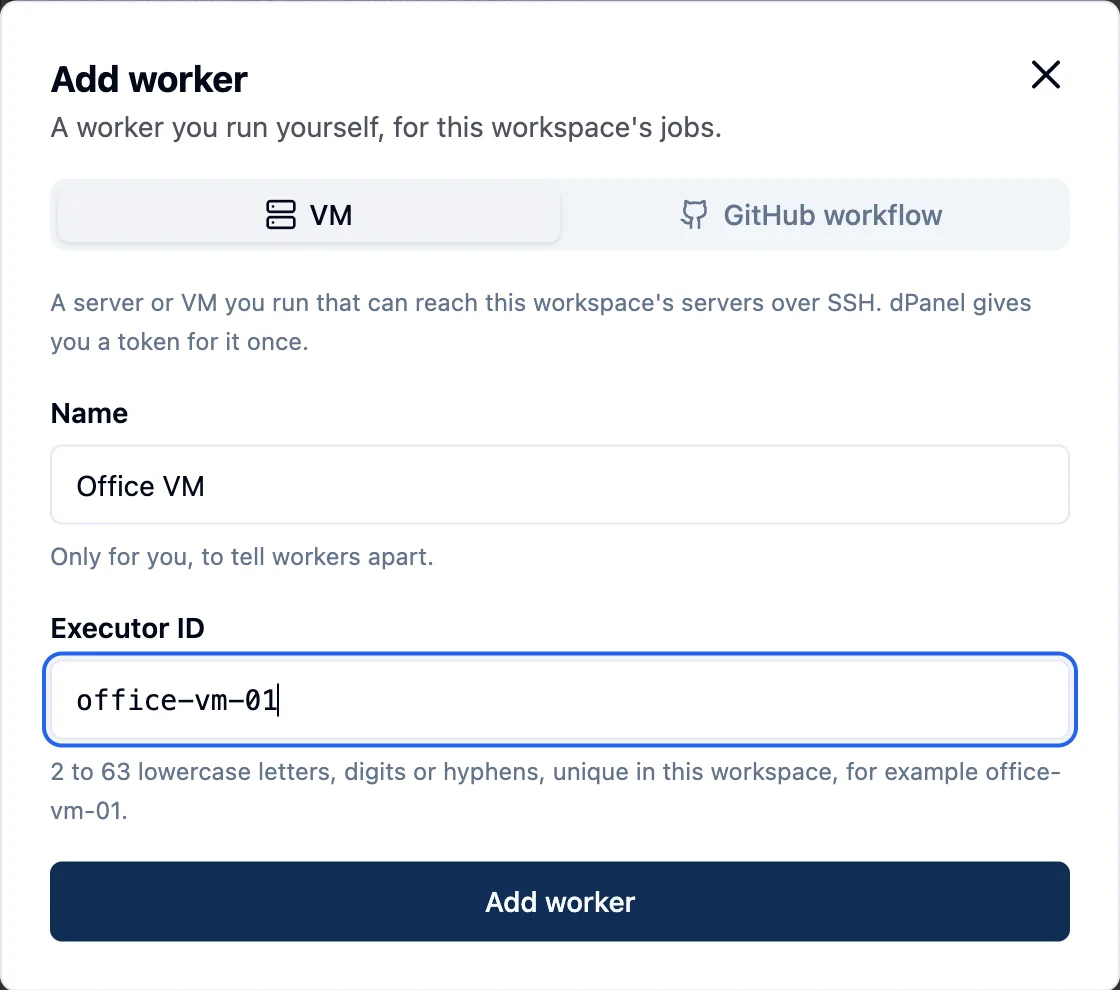
- In Workers, press Add worker and choose VM.
- Name: for example "Office VM".
- Executor ID: 2 to 63 lowercase letters, digits or hyphens, for example
office-vm-01. - Press Add worker.
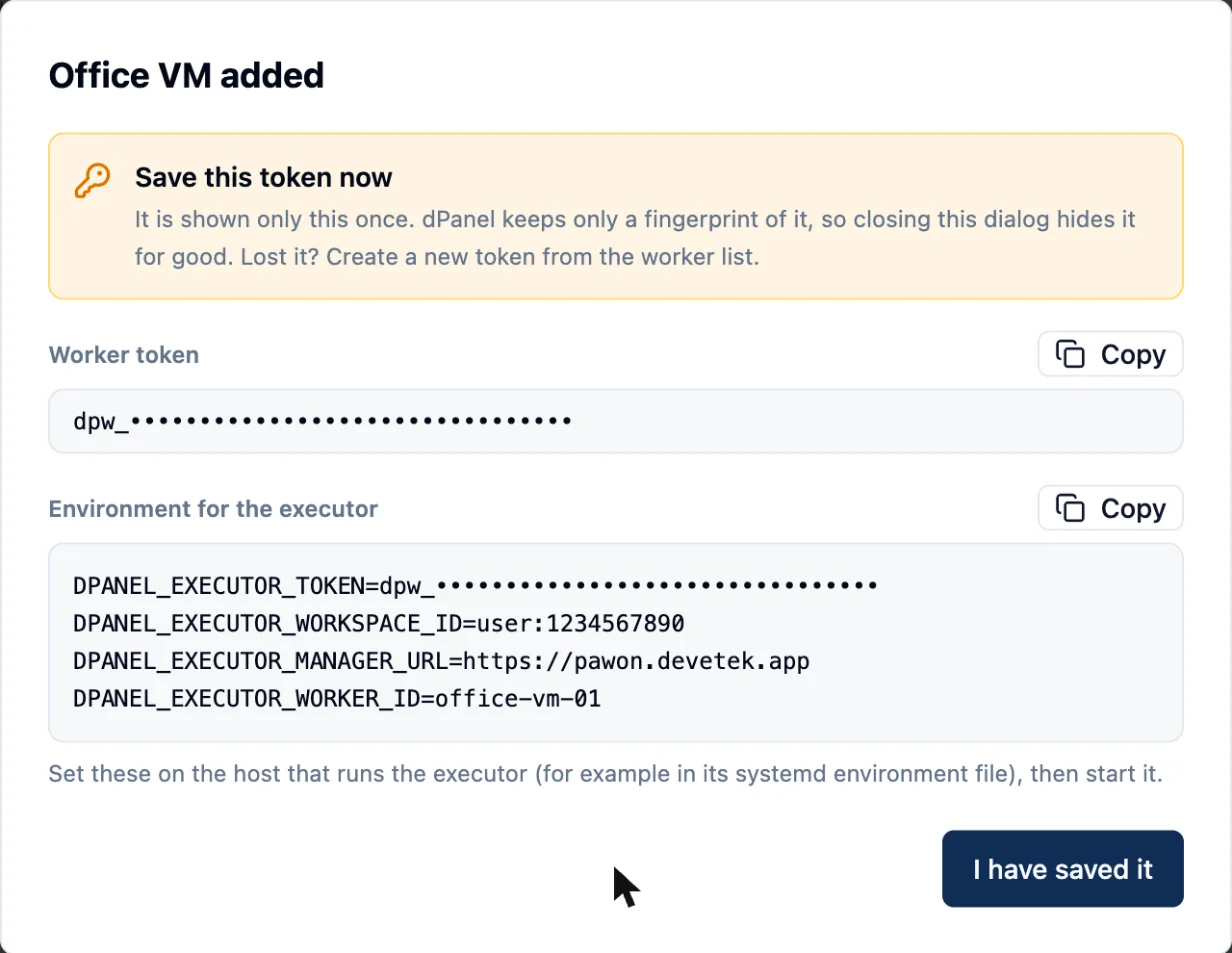
dPanel shows a token and the settings for the machine. Save the token now: it is shown only once.
2. Install the executor on the machine
python3 -m pip install --user "ansible-core>=2.16,<2.17" jmespath
base=https://raw.githubusercontent.com/dPanel-ID/artifacts/main/executor
version=$(curl -fsSL "$base/LATEST")
curl -fsSL -o dpanelprod-executor "$base/$version/dpanelprod-executor-linux-amd64"
curl -fsSL "$base/$version/SHA256SUMS" | sed 's/dpanelprod-executor-linux-amd64/dpanelprod-executor/' | grep ' dpanelprod-executor$' | sha256sum -c -
chmod +x dpanelprod-executor && sudo mv dpanelprod-executor /usr/local/bin/
Use dpanelprod-executor-linux-arm64 on an ARM machine.
3. Run it as a service
Create /etc/dpanel-worker.env with the settings dPanel showed you (readable only by root):
DPANEL_EXECUTOR_MANAGER_URL=https://pawon.devetek.app
DPANEL_EXECUTOR_TOKEN=dpw_your_token
DPANEL_EXECUTOR_WORKSPACE_ID=group:1234567890
DPANEL_EXECUTOR_WORKER_ID=office-vm-01
ENV=production
Then create /etc/systemd/system/dpanel-worker.service:
[Unit]
Description=dPanel worker
After=network-online.target

[Service]
EnvironmentFile=/etc/dpanel-worker.env
WorkingDirectory=/var/lib/dpanel-worker
ExecStart=/usr/local/bin/dpanelprod-executor
Restart=always
User=dpanel-worker

[Install]
WantedBy=multi-user.target
sudo useradd --system --create-home --home-dir /var/lib/dpanel-worker dpanel-worker
sudo chmod 600 /etc/dpanel-worker.env
sudo systemctl daemon-reload && sudo systemctl enable --now dpanel-worker
Run Ansible as that user too: install it with sudo -u dpanel-worker python3 -m pip install --user ... if you created a new user.
4. Switch to private workers
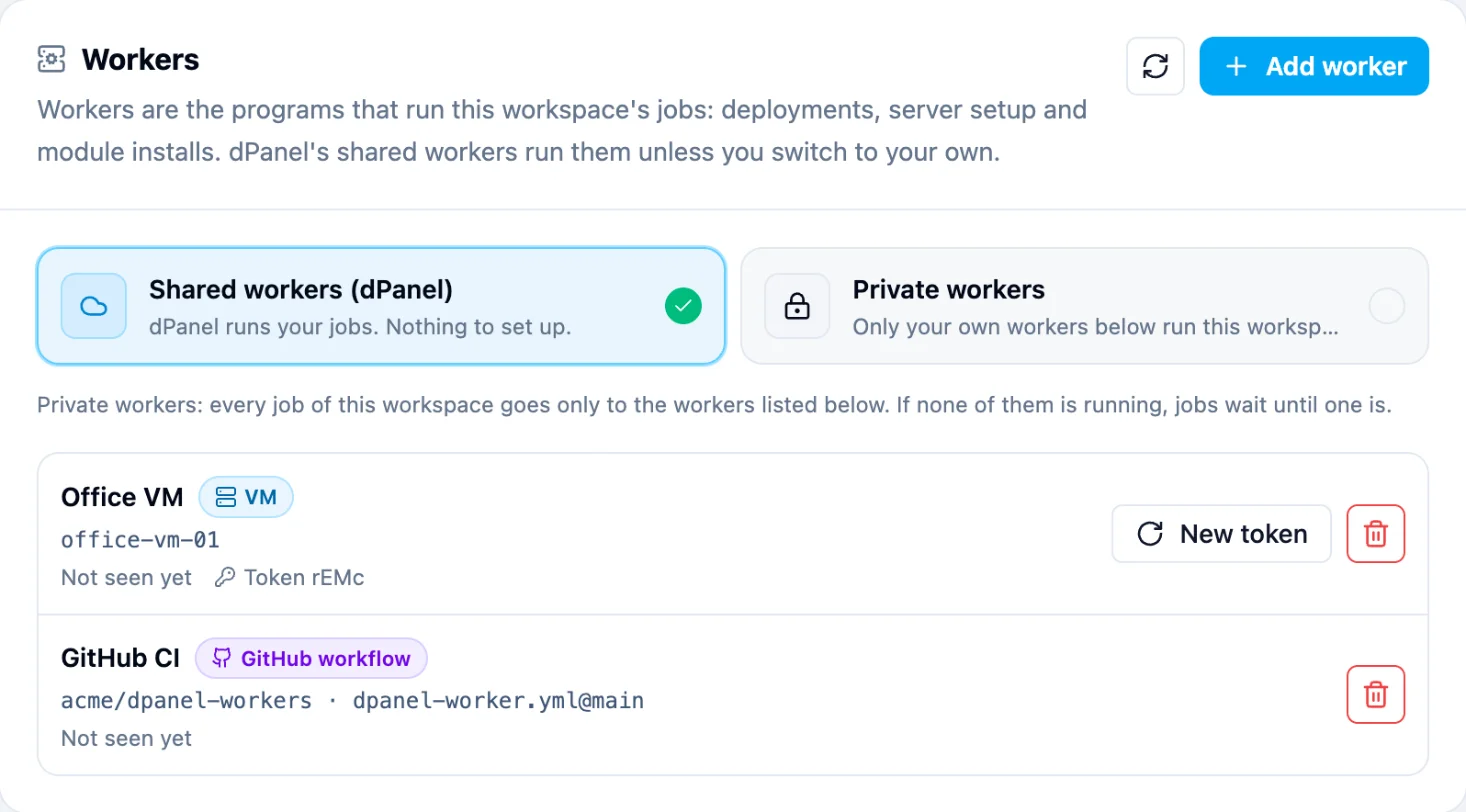
In Workers, choose Private workers and confirm. The worker's Last seen time updates once it asks for jobs.
Lost the token?
Press New token on the worker. The old token stops working right away; put the new one in /etc/dpanel-worker.env and restart the service with sudo systemctl restart dpanel-worker.
Frequently asked questions
Which machine can be a VM worker?
Any Linux server or VM, Ubuntu 22.04 or 24.04, that can reach your servers over SSH and https://pawon.devetek.app over HTTPS. It can sit inside your private network.
How do I know the worker is connected?
Its Last seen time in the Workers card updates once it asks dPanel for jobs. A worker that never connected reads Not seen yet.
Can I add a VM worker from the terminal?
Yes. dnocs worker add --type vm --name office --executor-id office-01 prints the token once. dnocs worker rotate-token --id <worker ID> gives it a new one.
What happens when I remove a VM worker?
It stops taking jobs and its token stops working. Stop the executor service on the machine too, with sudo systemctl disable --now dpanel-worker.