In dPanel, every push you want to ship becomes a build, and every build is kept, so you can release the latest commit or roll back to an earlier build in one step. Two words matter here. A build is your code packaged once, from one commit. A release is that build placed on one server.
What is running now
Open the application. The Overview tab starts with Current deployment: the commit, branch, the person who released it, the server and address that are serving right now, and the release status.
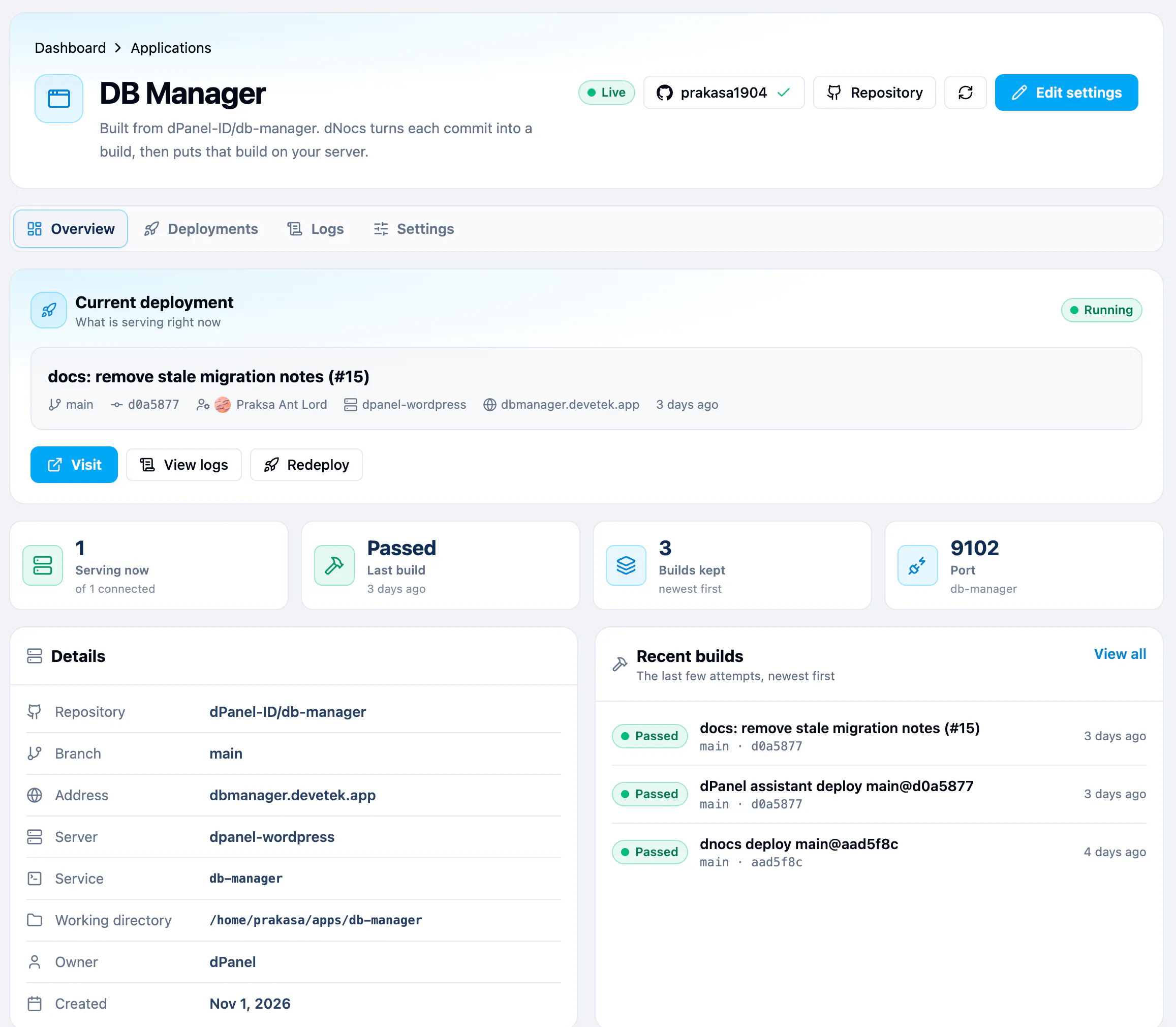
| Button | What it does |
|---|---|
| Visit | Opens the application's public address, when it has one. |
| View logs | Opens the Logs tab. |
| Redeploy | Builds and releases again. |
Below it, Serving now, Last build, Builds kept and Port sum up the application, and Recent builds lists the last few attempts.
Build and release a new version
Use this after you push a commit, or after you change a setting.
- Press Redeploy on the Overview tab, or Build and release on the Deployments tab.
- In the New Artifact panel, pick the Branch. dPanel builds its latest commit.
- Under Deployment target, check the server. The first one is selected for you.
- Press Save.
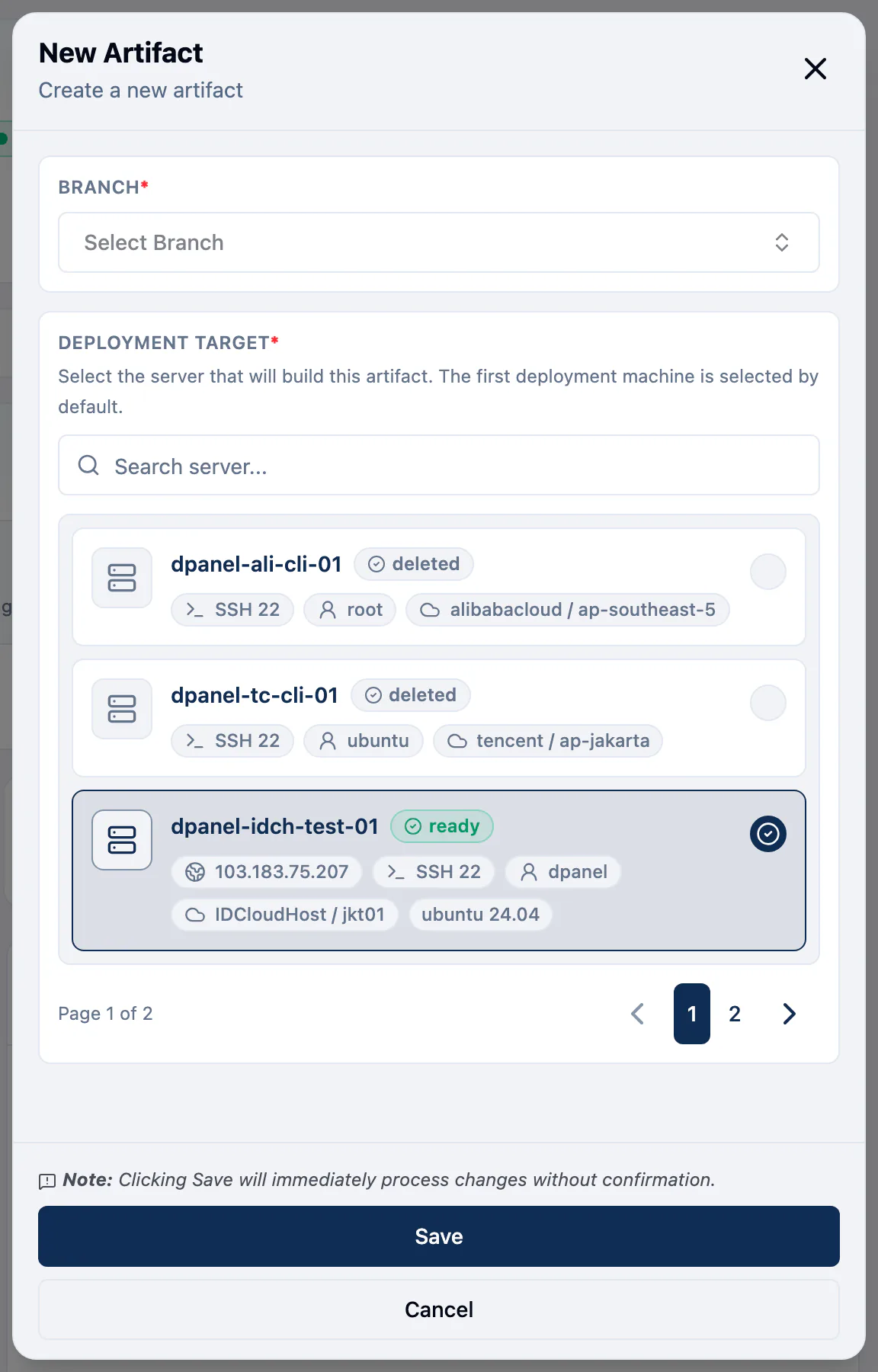
The build appears at the top of the list as Building, then Passed or Failed. A passed build is released to the server, and its release reads On the server.
The Deployments tab
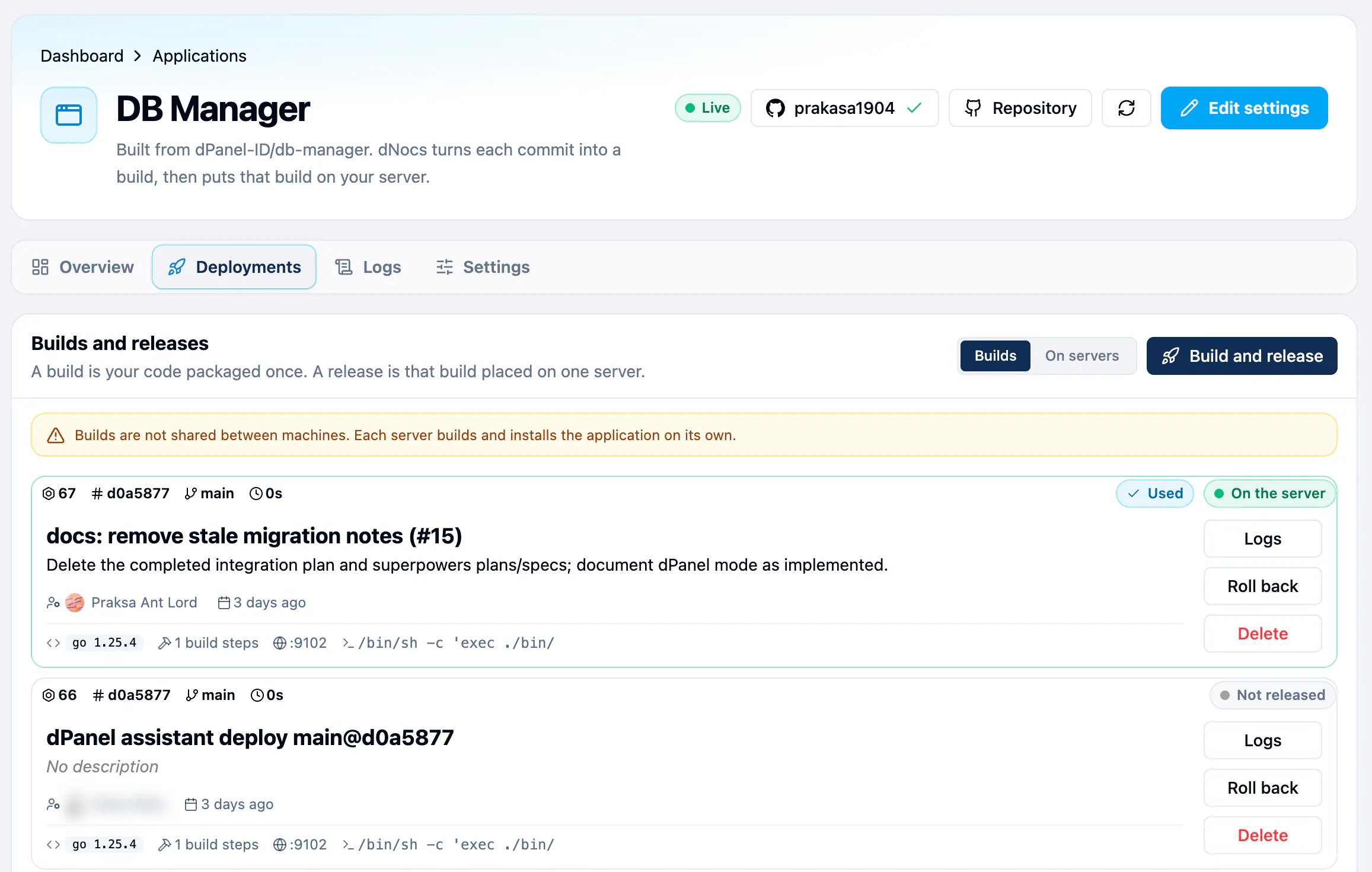
Builds and releases has two views.
- Builds: every build, newest first, with its build ID, commit, branch, how long it took, who ran it and when. A build that has been released to a server carries a Used badge, and one being released right now carries In Progress.
- On servers: each server the application is released to, with its service state.
Switch views with the Builds and On servers toggle beside Build and release.
Who ran each build
Every build card names the person who started it, with their avatar, for example after Build and release, Redeploy or a deploy from the command line or Ask dPanel. The releases under On servers name who released them. Select a name to open that person's public profile. dPanel never shows an email address or a raw user ID here.
Read a build's logs
Press Logs on a build. Artifact Logs opens with that build's output: the clone, each build step, and the service start. See Reading logs.

Roll back
- Find the build you want to go back to, and press Roll back.
- In Rollback Deployment, tick the servers to roll back.
- Press Rollback.
dPanel releases that build again on those servers. Nothing is rebuilt.
Manage releases on a server
In On servers, each release has Start, Restart and Stop for its service, and Delete. A deleted release can be brought back with Restore, or removed for good with Delete permanently.
Delete a build
Press Delete on a build to remove it from the list. dPanel asks you to confirm first.
dPanel refuses to delete a build that a release still uses, or one that is still building. Delete the release under On servers first.
From the terminal, list the builds with dnocs application detail artifact list --id <application ID>, then delete one with dnocs application detail artifact delete --id <application ID> --artifact-id <build ID>. The same rules apply. A server cannot be deleted while builds made on it remain. See AI in the terminal to install dnocs.
Statuses
| Build | Release | Meaning |
|---|---|---|
| - | Waiting | Queued for a worker, or about to start. |
| Building | Releasing | Work in progress. |
| Passed | On the server | Built and running. |
| Passed | Not released | Built, but not placed on any server right now. |
| Failed | Failed | Something stopped it. Read the logs. |
| Cancelled | Cancelled | Stopped before it finished. |
When a build fails, start with its Logs. The last lines usually name the step and the error. A build stopped after 20 minutes ends with context deadline exceeded; see Build timeout. See also Troubleshooting.
Frequently asked questions
What is the difference between a build and a release?
A build is your code packaged once, from one commit. A release is that build placed on one server and started there. One build can be released to several servers, and released again later in a rollback.
Does a rollback rebuild my code?
No. dPanel releases the build it already has, so a rollback takes seconds to minutes, not the length of a build.
Who started this build?
The build card names the person who ran it. Select the name to open their public profile.
Why can't I delete a build?
A release still uses it, or it is still building. Delete the release under On servers first, or wait for the build to finish.