A server in dPanel is one Linux machine that the control panel looks after for you: a VPS dPanel launched in your own cloud account (AWS EC2, Google Compute Engine, a DigitalOcean Droplet, IDCloudHost, Alibaba Cloud ECS or Tencent Cloud CVM), or an Ubuntu or Debian server you already run and connect over SSH.
A VPS (virtual private server) is a rented Linux computer in a data centre. dPanel installs a small program on it, the agent, which reports the server's health and carries out the jobs you start. New to these words? See the Glossary.
Once a server is in dPanel, you manage it from your browser. You don't need a terminal on your own computer.
- See whether it is healthy, and how much CPU, memory and disk it uses.
- Install software on it, such as a database or a language runtime, and open its databases in DB Manager.
- Start, stop and restart the services running on it.
- Manage its Linux user accounts.
- Browse its files and read its logs.
- Open a terminal on it.
- Choose which ports the internet can reach with its firewall.
- Deploy applications to it, and put a load balancer with HTTPS in front of them.
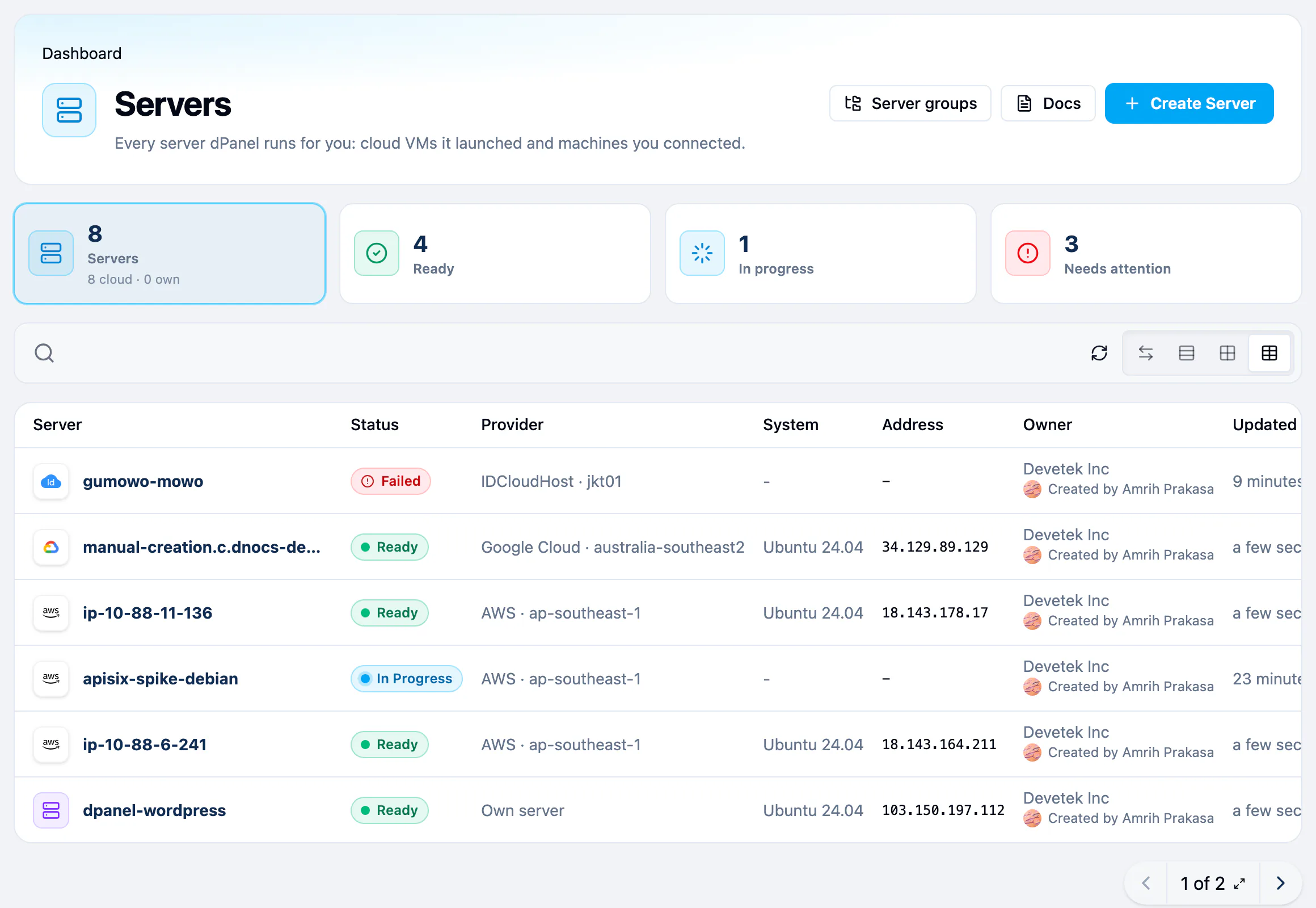
The list opens as a table. Switch to Card Grid View to see live CPU, memory and disk on each server's card. The search box ignores letter case, and the owner column names the person who created each server.
The two ways to add a server
Open Servers, then Create Server. The page offers both paths.
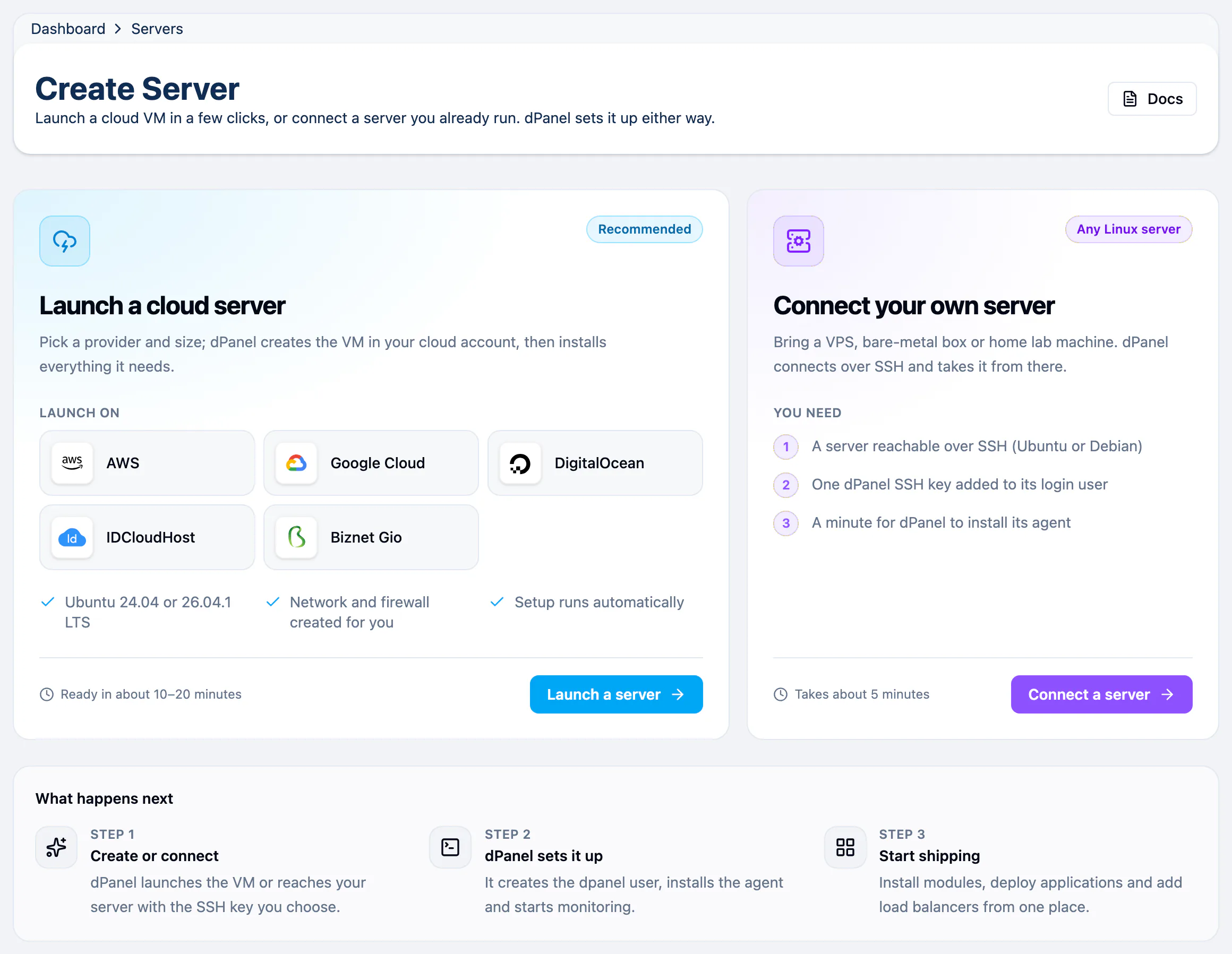
| Launch a cloud server | Connect your own server | |
|---|---|---|
| Who it suits | You want a new machine and have a cloud account | You already have a machine running |
| Providers | AWS, Google Cloud, DigitalOcean, IDCloudHost, Biznet Gio, Alibaba Cloud, Tencent Cloud | Any Ubuntu or Debian server over SSH |
| What dPanel does | Creates the machine, then sets it up | Connects over SSH, then sets it up |
| You need | A cloud account and an SSH key in dPanel | An SSH key, and the server's address |
| Time | About 10 to 20 minutes | About 5 minutes |
Either way, dPanel installs its agent and starts monitoring the machine. Servers dPanel launches run Ubuntu 24.04 LTS or 26.04 LTS.
Where to go next
- New to dPanel? Start with Before you start.
- Launching a machine: Create a cloud server.
- Bringing your own: Connect your own server.
- Already have one: Your server page explains every tab.
- Control which ports can be reached: Firewall.
- Many servers at once, or a Kubernetes cluster: Server groups and clusters.
You can also ask Ask dPanel to check a server or install something on it; see Prompt cookbook.
Frequently asked questions
Does dPanel host the server?
No. A cloud server runs in your own account at the provider, which bills you directly. A server you connect stays wherever it already runs.
Which operating system does a server need?
Servers dPanel launches run Ubuntu 24.04 LTS or 26.04 LTS. A server you connect can run Ubuntu or Debian.
Can I manage servers from a terminal instead?
Yes. The dnocs CLI lists servers, runs setup again, installs modules and manages the firewall. See AI in the terminal.
What is the agent and is it safe to remove?
The agent is dPanel's program on the server. It reports usage and runs the jobs you start. Without it, the server page goes blank and jobs fail; Reinstall on the Settings tab puts it back.