A GitHub Actions worker runs your dPanel workspace's jobs in your own GitHub repository. GitHub Actions is GitHub's built-in way to run scripts, called workflows, on GitHub's machines. dPanel starts your workflow whenever a job is waiting; each run takes one job, runs it against your server over SSH, and ends. There is no token to copy: the run signs in to dPanel with its GitHub identity token, and dPanel checks that it comes from the repository and workflow you registered.
Before you start
- A GitHub repository you can push to. A new, private repository is fine.
- Servers you already connected to dPanel. Nothing else to prepare on them.
1. Register the repository in dPanel
- Open Profile for your personal workspace, or open your team's page for a team.
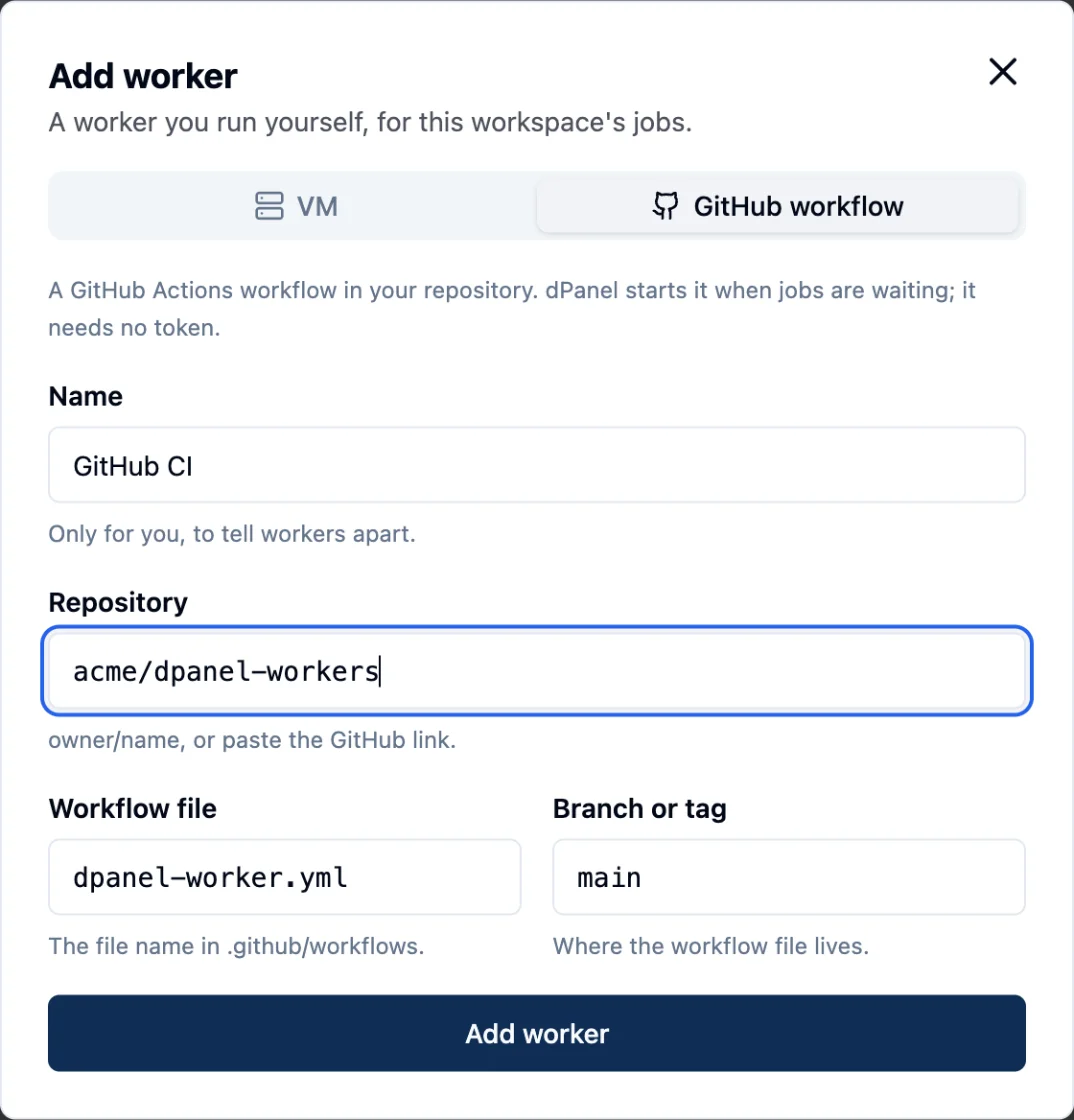
- In Workers, press Add worker and choose GitHub workflow.
- Name: anything that helps you tell workers apart, such as "GitHub CI".
- Repository:
owner/name, or paste the GitHub link. - Leave Workflow file as
dpanel-worker.ymland Branch or tag asmainunless you need others. - Press Add worker.
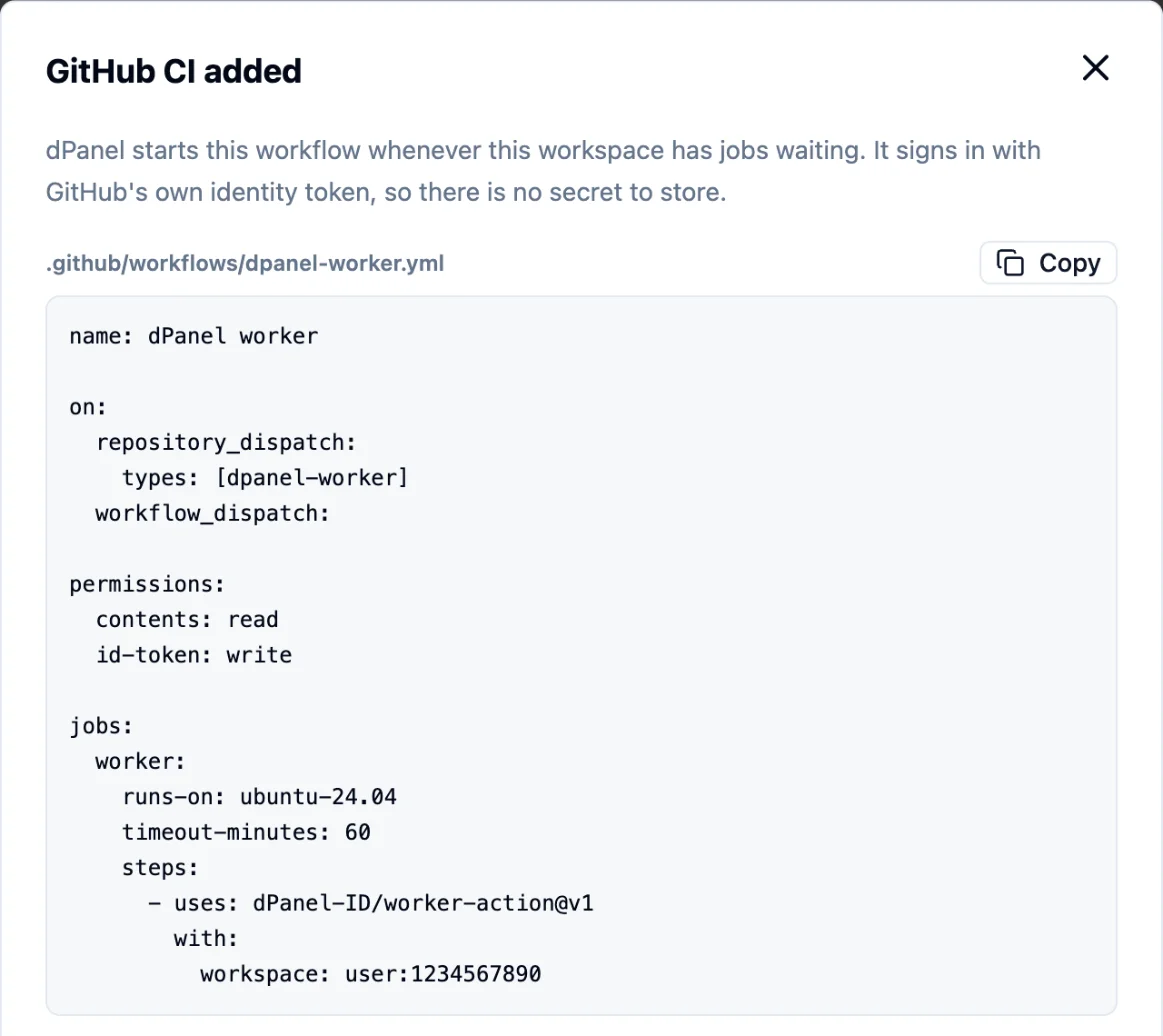
dPanel shows the workflow file for your workspace. Copy it.
2. Add the workflow file
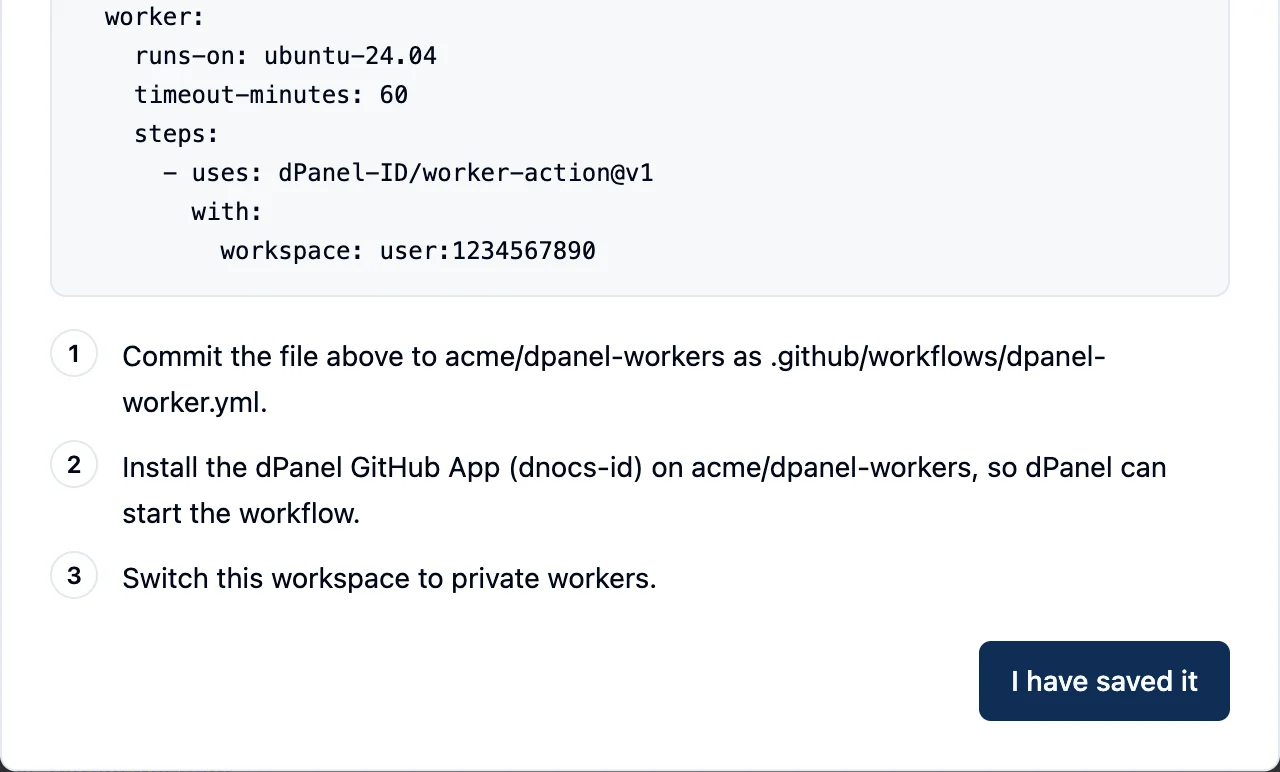
Commit the file as .github/workflows/dpanel-worker.yml on the branch you registered:
name: dPanel worker

on:
  repository_dispatch:
    types: [dpanel-worker]
  workflow_dispatch:

permissions:
  contents: read
  id-token: write

jobs:
  worker:
    runs-on: ubuntu-24.04
    timeout-minutes: 60
    steps:
      - uses: dPanel-ID/worker-action@v1
        with:
          workspace: group:1234567890
Replace group:1234567890 with the value dPanel gave you. It names your workspace: group:<team id> for a team, user:<your id> for your personal workspace.
3. Let dPanel start the workflow
Install the dPanel GitHub App (dnocs-id) on the repository. dPanel uses it only to start your workflow with a repository_dispatch event, which needs the Contents: read and write permission.
4. Switch to private workers
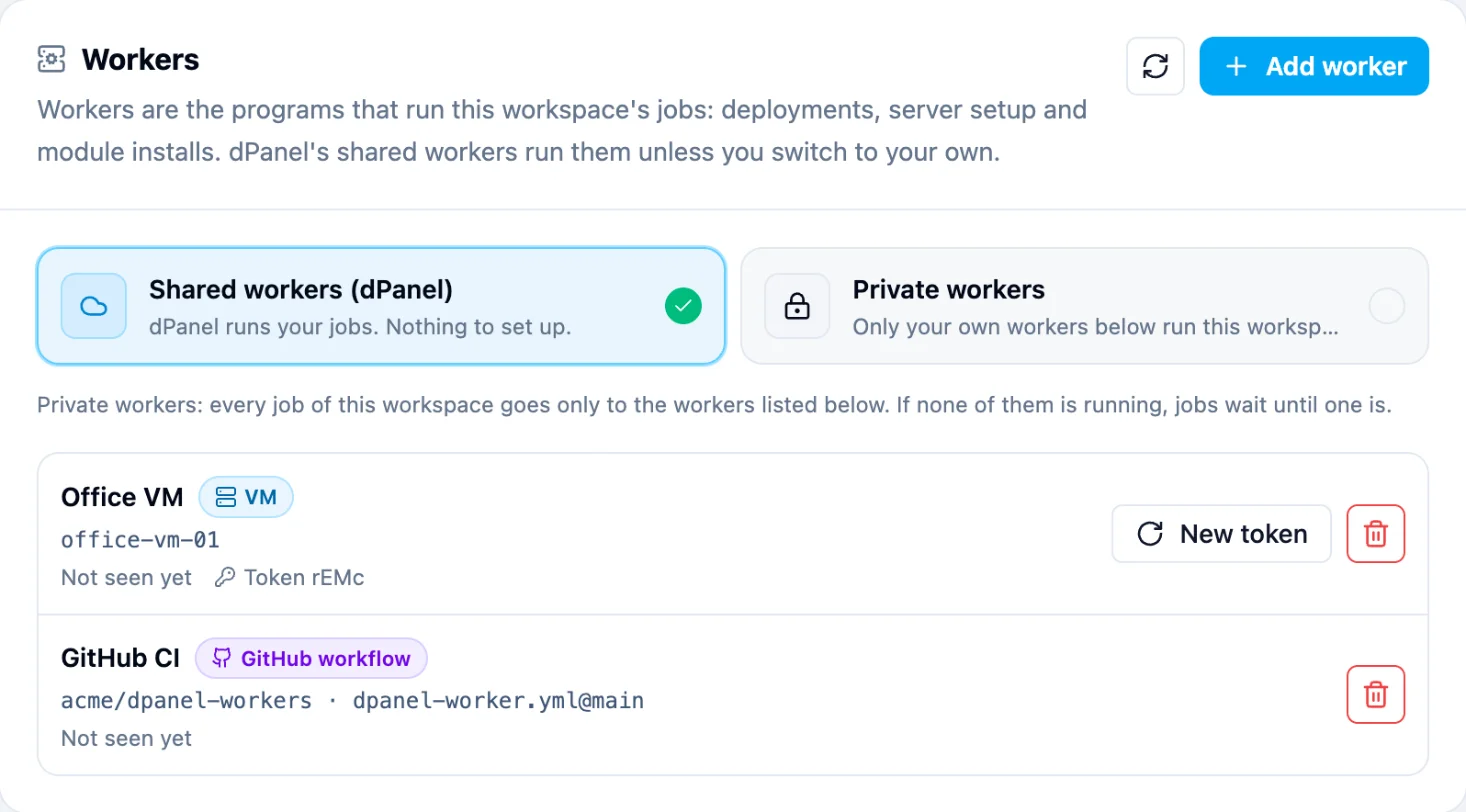
Back in Workers, choose Private workers and confirm Switch to private workers. From now on every job of this workspace runs on your workflow.
Check that it works
Run any job, for example install a module on one of your servers. Within a few seconds a dPanel worker run appears in your repository's Actions tab. It takes the job and ends when the job is done; the job's progress shows in dPanel as usual.
You can also press Run workflow in the Actions tab: with no job waiting, the run signs in, waits two minutes and ends successfully, which shows the setup is right.
How many runs
Each job gets its own run, so several jobs run at the same time, up to 10 per workspace. Jobs on the same server still run one after another.
Troubleshooting
| What you see | Fix |
|---|---|
| The run fails with "Add 'permissions: id-token: write'" | Add the permissions block from the file above. |
| No run starts when a job is waiting | Install the dnocs-id app on the repository, and check the workspace is on Private workers. |
| The run starts but takes no job | The workspace value, repository, workflow file or branch differs from what you registered in dPanel. |
| The job fails to connect to your server | A firewall blocks SSH (port 22) from GitHub's runners. Open port 22 on that server, or use a VM worker inside your network. No key is missing: dPanel supplies it. |
To stop, choose Shared workers (dPanel) again, or remove the worker. The workflow file stays in your repository; delete it there if you no longer need it.
Frequently asked questions
Does this use my GitHub Actions minutes?
Yes. Each job runs as one workflow run in your repository, so it counts toward that repository's Actions minutes. A public repository's runs are free on GitHub's standard runners.
Do I need to store a dPanel token in GitHub?
No. The run signs in with GitHub's own identity token. That is why the workflow needs permissions: id-token: write.
Can I register the worker from the terminal?
Yes. dnocs worker add --type github --name ci --repository owner/name registers it and prints the workflow file. Add --workflow or --ref if yours differ from dpanel-worker.yml and main.
How many jobs run at once?
Up to 10 per workspace, one job per run. Jobs on the same server still run one after another.