Every dPanel user has a public profile page at /u/<username>, such as /u/prakasa. Wherever dPanel shows a person, such as who ran a build or who owns a server, it shows their name and avatar and links to that page, instead of an email address or a user ID.
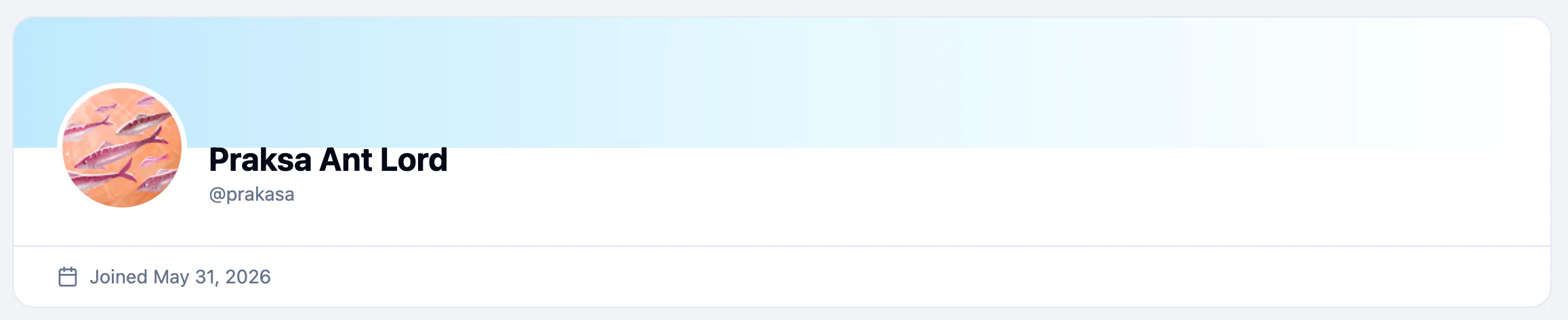
What a profile shows
| Shown | Never shown |
|---|---|
Display name and @username | Email address |
| Avatar | Workspaces and roles |
| Joined date | Servers, applications |
A profile is visible to anyone signed in to dPanel. Your servers, applications and teams stay private to the workspaces they belong to.
Where names appear
Select any name to open that person's profile.
| Page | Who is named |
|---|---|
| An application | Who ran each build, and who released it on servers |
| Applications, Servers | The owner of each one, or its team |
| Load balancers, Domains | The owner |
| Cloud projects, SSH keys | The owner |
| Dashboard activity | Who did each recent action |
| A server group's runs | Who started the run |
See Deployments and rollback for builds.
Open a profile
- Select a person's name anywhere in dPanel.
- Or type the address yourself:
https://dnocs.devetek.app/u/followed by the username. Upper and lower case do not matter.
If nobody has that username, the page says No one goes by @username. Check the spelling: the person may also have changed it.
Frequently asked questions
Can other people see my email on my profile?
No. A profile never shows an email address. Teammates see your email only in a team's Members list.
Who can open my profile?
Anyone signed in to dPanel who knows your username. It shows only your name, username, avatar and join date.
Where do my name and avatar come from?
From your dPanel account. Change your full name or avatar with Edit profile on your Profile page; the username and email cannot be changed there. See Sign in and your profile.
Why does a list show a team name instead of a person?
On Applications and some other lists, a resource that belongs to a team shows the team's name as its owner. Open the resource to see who ran each build.