Deleting a server in dPanel destroys a cloud VM at your provider, or only disconnects a server you connected yourself. Your provider bills a cloud machine for as long as it exists, so remove one as soon as you are done with it.
What you need first
Deletion is refused while applications or load balancers still use the server. Delete those first:
Delete it
- Open the server and go to Settings.
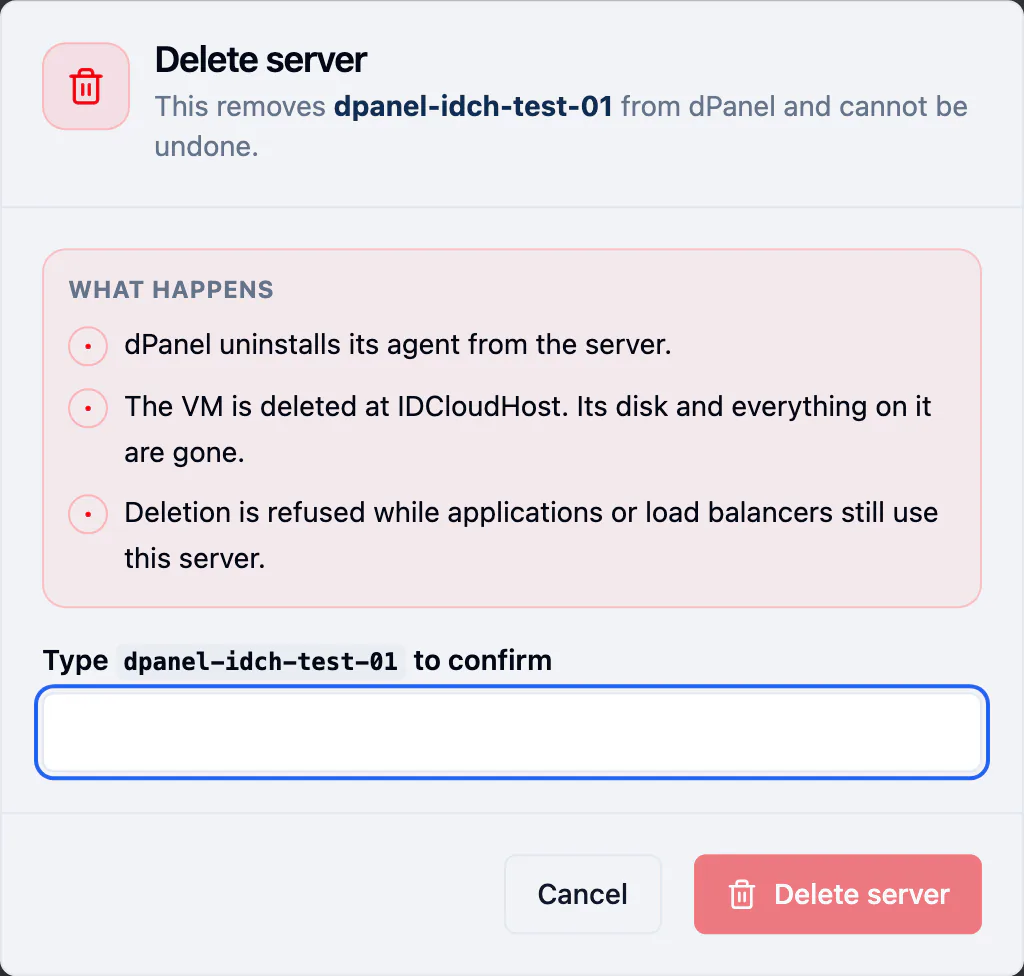
- In Danger zone, press Delete server. The same command is in the header, under More actions (⋯).
- Read What happens.
- Type the server's name to confirm, then press Delete server.
What happens next
The server shows Deleting while the provider tears the machine down, then reads Deleted.
Check two places:
- The Servers list.
- Your provider's own console. dPanel reports what the provider told it, so a delete that half fails at the provider shows up there.
Frequently asked questions
Why is Delete server refused?
Applications or load balancers still use the server, or it is a node of a Kubernetes cluster. Delete those first, or uninstall and delete the cluster. See Server groups and clusters.
Can I get a deleted server back?
No. A cloud server's disk is destroyed at the provider. Back up anything you need before you delete it.
Does deleting a server I connected myself wipe it?
No. dPanel only forgets it; the machine and everything on it keep running.