dPanel manages DNS for domains you already own. Add a domain hosted at Cloudflare or DigitalOcean with an API token, and dPanel reads its records, lets you search them, and creates the A record that points a name at your server when a load balancer uses the domain.
DNS is the internet's address book: it turns a name such as app.example.com into the IP address of a server. A DNS record is one entry in that book, and the zone is all the records of one domain. See the Glossary.
dPanel does not sell or transfer domains, and it never changes your registrar. You keep buying domains where you do today. What dPanel needs is access to whoever answers DNS for the domain.
What you need first
- A domain whose DNS is hosted at Cloudflare or DigitalOcean.
- An API token from that provider that can read and edit DNS records for the zone.
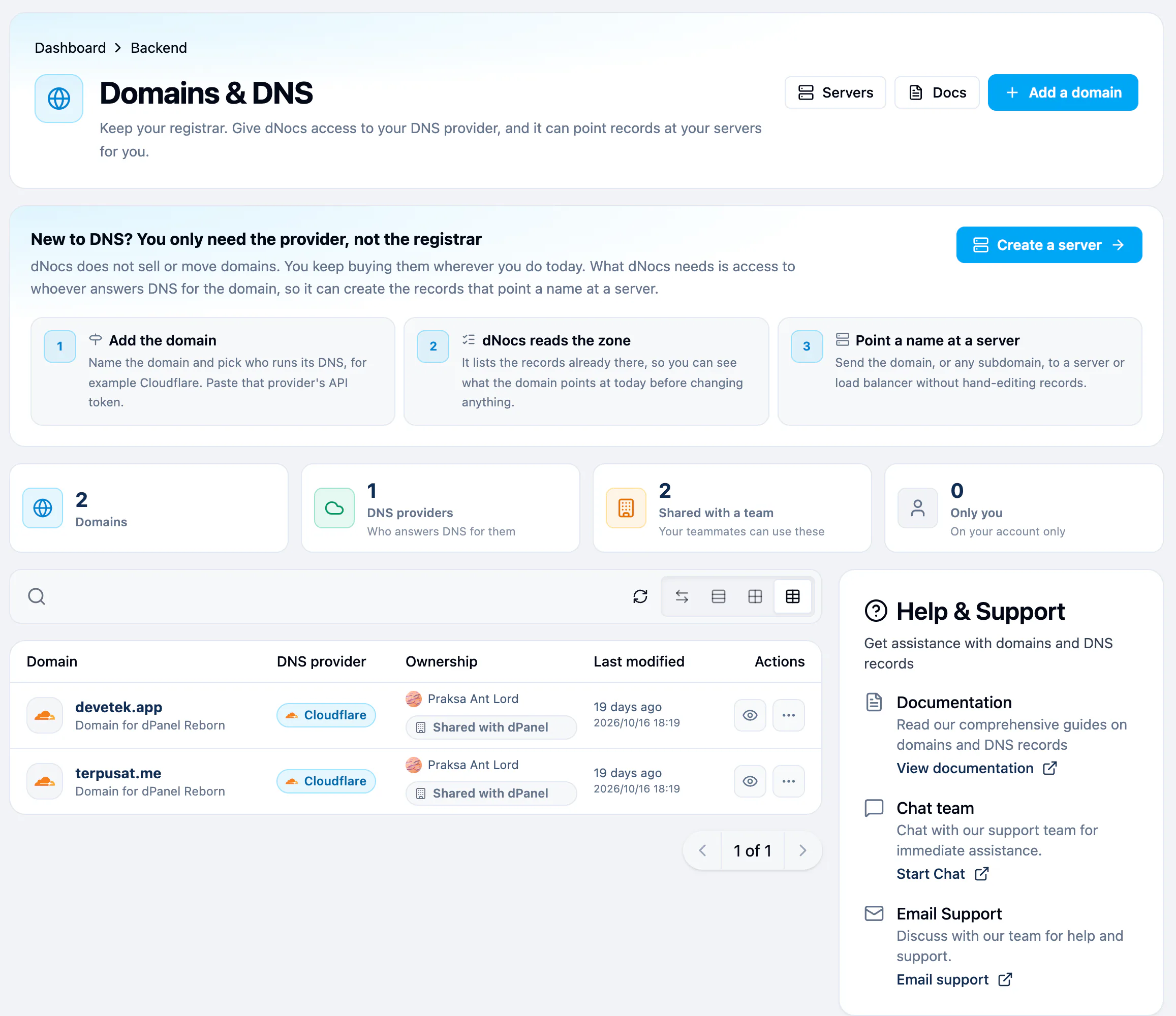
Each row shows the domain, its DNS provider, its Ownership (the person who added it, by name, and the team it is shared with) and when it was last modified. Select the person's name to open their public profile. The search box above the table finds a domain by name; upper and lower case do not matter.
Add a domain
- Open Domain & DNS in the sidebar.
- Press Add a domain.
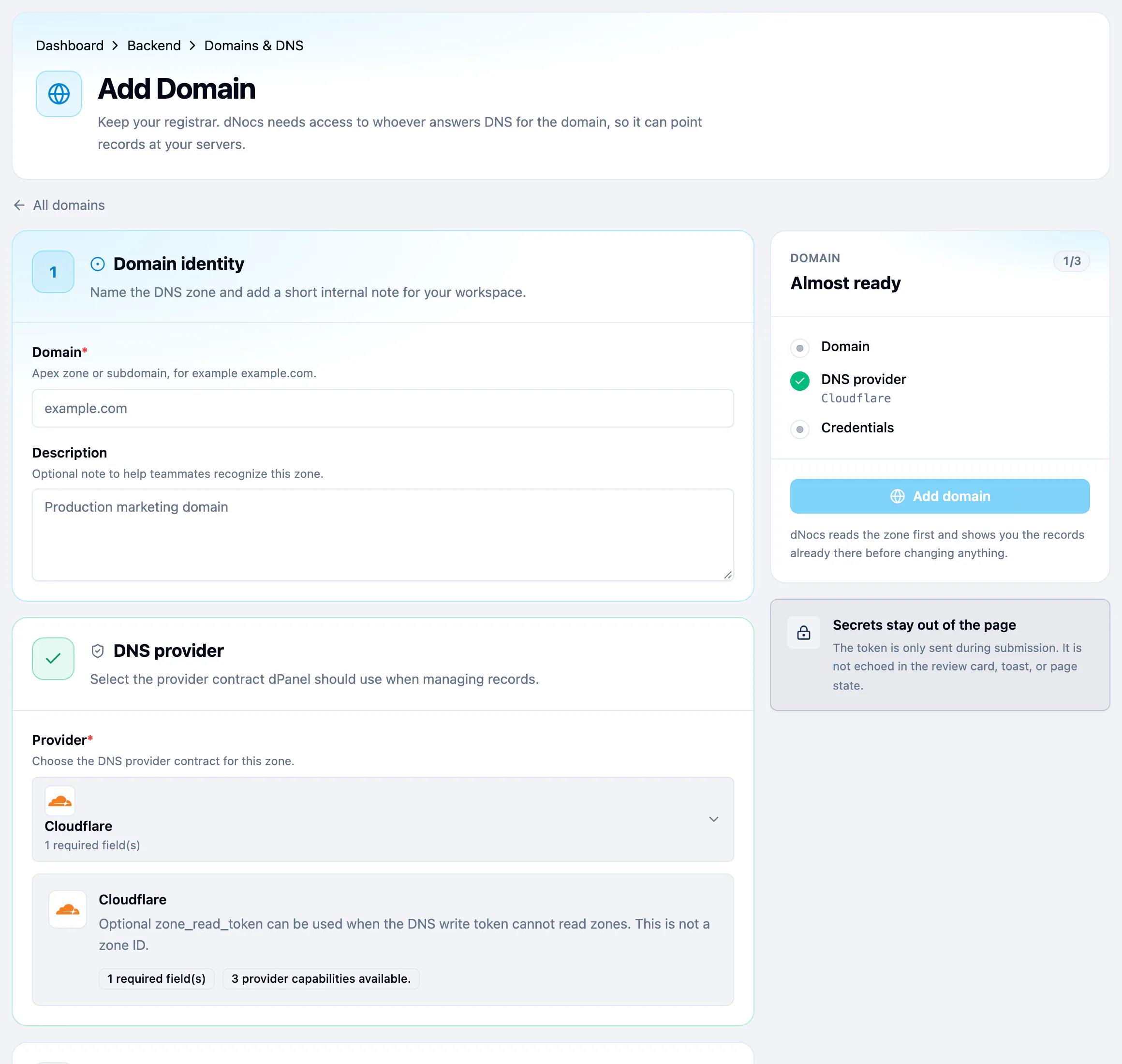
- Domain: the zone you want dPanel to manage, such as
example.com. A subdomain works too. - Description: optional. A note for your teammates, such as "Production marketing domain".
- Provider: pick where the zone is hosted.
- API token: paste the provider token.
- When the review reads Ready to add, press Add domain.
What happens next
dPanel reads the zone first and lists the records already there. Nothing is changed until you use the domain somewhere, for example as a Managed domain on a load balancer.
The domain page
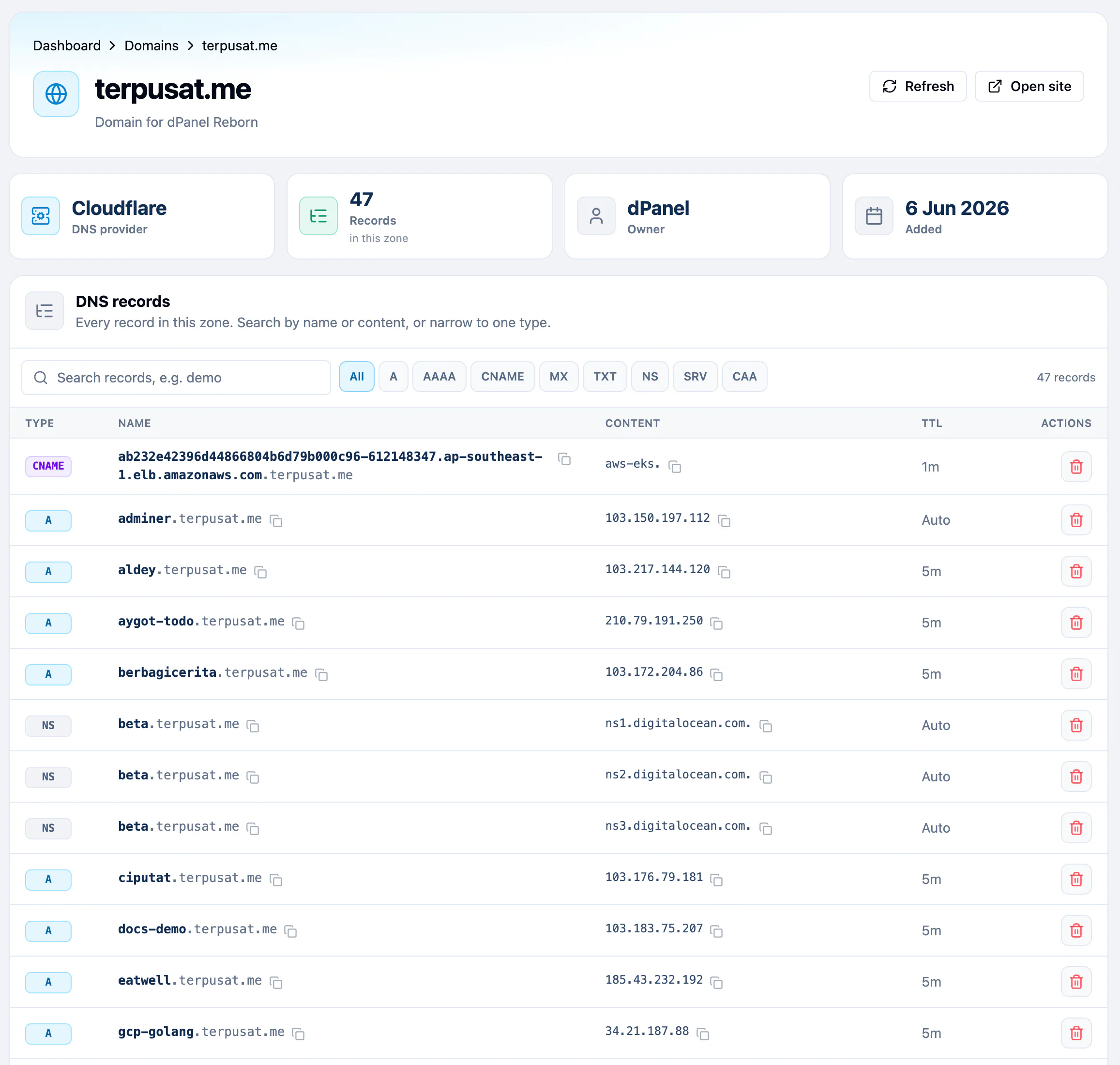
Select a domain in the list, or press Details on its row, to open its own page. It shows:
- DNS provider, the number of Records in the zone, the Owner workspace and when the domain was Added.
- Refresh, which reads the zone again, and Open site, which opens
https://and the domain in a new tab. - DNS records: every record in the zone, which you can search, filter by type and delete. See DNS records.
Use the domain on a load balancer
On a load balancer, choose Managed under Domain Name, type a Subdomain and pick the domain. dPanel creates an A record from that name to the gateway server's public address. It refuses a name that already has a record, so existing records stay untouched. See Load balancers and HTTPS.
Share or delete a domain
- A domain added in a team workspace is shared with that team. A domain stays in the workspace it was added in; it cannot be moved to another one.
- To remove a domain from dPanel, open the More (⋯) menu on its row, choose Delete, and confirm Delete Domain. This only removes it from dPanel; the zone and its records stay at your DNS provider.
Frequently asked questions
Which DNS providers does dPanel support?
Cloudflare and DigitalOcean. Your domain can be registered anywhere, as long as its DNS is hosted at one of them.
Do I have to move my domain to dPanel?
No. dPanel never sells, registers or transfers domains. It only uses an API token to read and write DNS records at your DNS provider.
Can I add a DNS record by hand in dPanel?
Not yet. dPanel creates records itself when a load balancer uses the domain. You can search, copy and delete records on the domain page.
Is my DNS API token safe?
The token is sent once, when you add the domain, and never shown again. The review never displays it, and dPanel shows Stored securely in its place.
Can I list my domains from the terminal?
Yes. dnocs domain list prints each domain with its ID and provider. A load balancer created from the terminal uses that ID. See AI in the terminal to install dnocs.