dPanel launches Ubuntu EC2 instances in your own AWS account. It signs in with the access key of a dedicated IAM user that you create for it, limited by the minimum IAM policy on this page to managing EC2 instances it tagged, in the regions you allow.
What you need first
- An AWS account with billing set up.
- Permission in that account to create IAM users and policies.
- An SSH key in dPanel. See Before you start.
1. Create a dedicated IAM user
Never give dPanel your root user's keys, or an administrator's.
- Sign in to the AWS console as an administrator, and open IAM.
- Go to Policies, then Create policy, and switch to the JSON editor.
- Paste the policy below. Replace the regions in
aws:RequestedRegionwith the ones you will use. - Name it
dpanel-ec2, and create it. - Go to Users, then Create user. Name it
dpanel. Leave console access off. - On Set permissions, choose Attach policies directly, and tick
dpanel-ec2. - Open the new user, go to Security credentials, then Create access key. Pick Third-party service as the use case.
- Copy the Access key and the Secret access key. AWS shows the secret only once.
AWS guides: Create an IAM user, Manage access keys, Create a policy in JSON.
Minimum IAM policy
These are the EC2 calls dPanel makes, read from its code:
| Where | What it does | Actions |
|---|---|---|
| dPanel API (discovery) | Lists regions, instance types, images, subnets, VMs | DescribeRegions, DescribeInstanceTypes, DescribeImages, DescribeSubnets, DescribeInstances |
| Network, first launch only | Creates dpanel-network: VPC, gateway, subnet, route | CreateVpc, ModifyVpcAttribute, CreateInternetGateway, AttachInternetGateway, CreateSubnet, ModifySubnetAttribute, CreateRouteTable, CreateRoute, ReplaceRoute, AssociateRouteTable |
| Security group, every launch | dpanel-<server name>, TCP 22, 80 and 443 | CreateSecurityGroup, AuthorizeSecurityGroupIngress, RevokeSecurityGroupIngress, AuthorizeSecurityGroupEgress, RevokeSecurityGroupEgress, UpdateSecurityGroupRuleDescriptionsIngress |
| Instance | Launches, starts and terminates it | RunInstances, StartInstances, TerminateInstances, CreateTags |
| Delete | Removes the server's security group | DeleteSecurityGroup |
dPanel needs no IAM, S3 or iam:PassRole permission. It attaches no instance profile, and it puts your SSH key on the server through cloud-init, so it doesn't need ec2:ImportKeyPair either.
Every resource dPanel creates is tagged managed-by = dpanel. The policy uses that tag so dPanel can only terminate instances and delete security groups that it created.
{
  "Version": "2012-10-17",
  "Statement": [
    {
      "Sid": "DpanelDiscovery",
      "Effect": "Allow",
      "Action": [
        "ec2:DescribeRegions",
        "ec2:DescribeAvailabilityZones",
        "ec2:DescribeInstanceTypes",
        "ec2:DescribeImages",
        "ec2:DescribeInstances",
        "ec2:DescribeInstanceStatus",
        "ec2:DescribeInstanceAttribute",
        "ec2:DescribeVpcs",
        "ec2:DescribeVpcAttribute",
        "ec2:DescribeSubnets",
        "ec2:DescribeInternetGateways",
        "ec2:DescribeRouteTables",
        "ec2:DescribeSecurityGroups",
        "ec2:DescribeSecurityGroupRules",
        "ec2:DescribeTags"
      ],
      "Resource": "*"
    },
    {
      "Sid": "DpanelCreate",
      "Effect": "Allow",
      "Action": [
        "ec2:RunInstances",
        "ec2:CreateVpc",
        "ec2:ModifyVpcAttribute",
        "ec2:CreateInternetGateway",
        "ec2:AttachInternetGateway",
        "ec2:CreateSubnet",
        "ec2:ModifySubnetAttribute",
        "ec2:CreateRouteTable",
        "ec2:CreateRoute",
        "ec2:ReplaceRoute",
        "ec2:AssociateRouteTable",
        "ec2:CreateSecurityGroup",
        "ec2:AuthorizeSecurityGroupIngress",
        "ec2:RevokeSecurityGroupIngress",
        "ec2:AuthorizeSecurityGroupEgress",
        "ec2:RevokeSecurityGroupEgress",
        "ec2:UpdateSecurityGroupRuleDescriptionsIngress"
      ],
      "Resource": "*",
      "Condition": {
        "StringEquals": {
          "aws:RequestedRegion": ["ap-southeast-1", "ap-southeast-3"]
        }
      }
    },
    {
      "Sid": "DpanelTagOnlyItsOwnResources",
      "Effect": "Allow",
      "Action": "ec2:CreateTags",
      "Resource": "*",
      "Condition": {
        "StringEquals": { "aws:RequestTag/managed-by": "dpanel" }
      }
    },
    {
      "Sid": "DpanelTagOnCreate",
      "Effect": "Allow",
      "Action": "ec2:CreateTags",
      "Resource": "*",
      "Condition": {
        "StringEquals": {
          "ec2:CreateAction": [
            "RunInstances",
            "CreateVpc",
            "CreateInternetGateway",
            "CreateSubnet",
            "CreateRouteTable",
            "CreateSecurityGroup"
          ]
        }
      }
    },
    {
      "Sid": "DpanelManageOnlyItsOwnResources",
      "Effect": "Allow",
      "Action": [
        "ec2:StartInstances",
        "ec2:TerminateInstances",
        "ec2:DeleteSecurityGroup"
      ],
      "Resource": "*",
      "Condition": {
        "StringEquals": { "ec2:ResourceTag/managed-by": "dpanel" }
      }
    }
  ]
}
2. Connect it to dPanel
- In the sidebar, open Cloud Projects. The page is titled Cloud accounts.
- Press Connect a cloud account.
- Fill in Connection name, for example
AWS production. - Under Cloud provider, pick AWS.
- Paste Access key and Secret key.
- Press Connect cloud account.
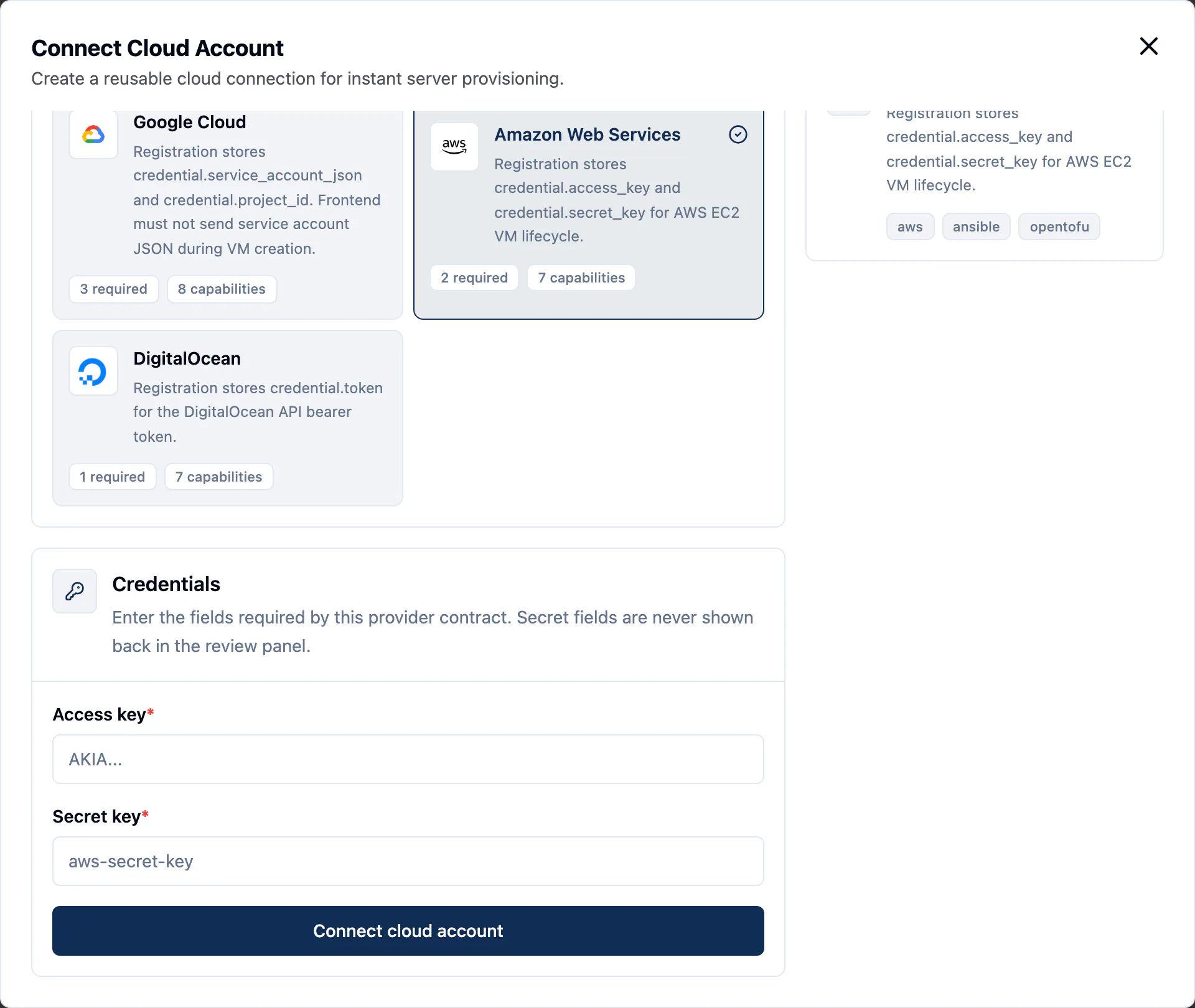
dPanel saves the account as Ready straight away. It does not test the key on save. The first real test is the launch form: if Region stays empty or shows an error, the key or its policy is wrong.
3. AWS fields in the launch form
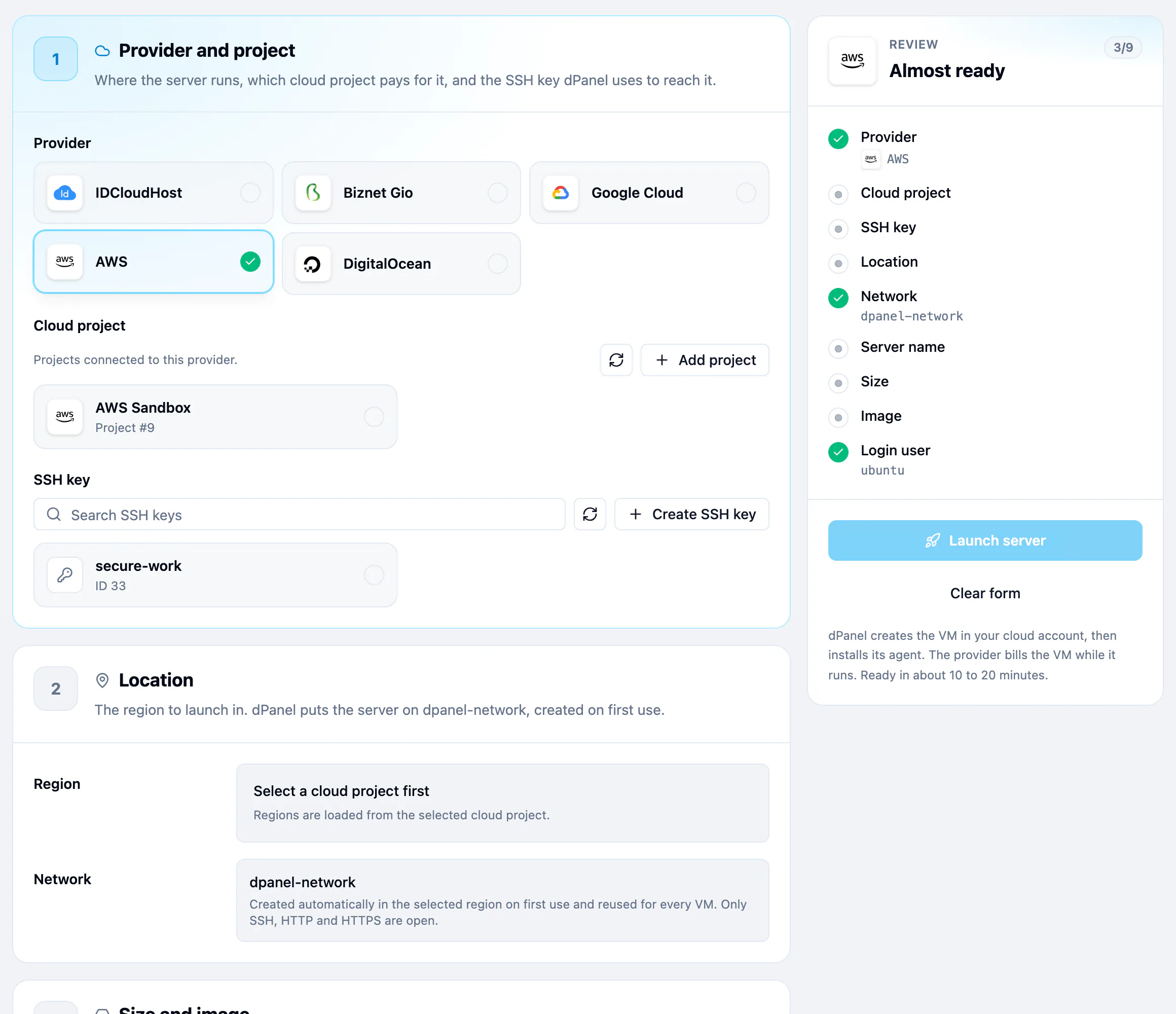
| Field | What to pick |
|---|---|
| Region | Any region your key may use, such as ap-southeast-1. |
| Size | Move CPU, RAM and Storage (20 to 500 GB). dPanel launches the cheapest t3a or t3 type that fits, then c6a, m6a, c6i or m6i for bigger sizes. Choose the instance type yourself lists every type in that region, such as t3.small. |
| Ubuntu release | 24.04 LTS or 26.04 LTS. dPanel looks up the matching image in that region. |
| Network | dpanel-network. You don't choose it. |
There is no Access step for AWS. dPanel signs in as ubuntu.
4. Launch
Follow Create a cloud server. Pick AWS in step 1.
AWS gotchas
- The network appears on first launch. In each region, the first launch creates a VPC named
dpanel-network(10.88.0.0/16), an internet gateway, a public subnet and a route table. Later launches reuse them. Deleting a server never removes them. - VPC quota. AWS allows 5 VPCs per region by default. If the region is full, the first launch fails until you free one or raise the quota.
- One security group per server, named
dpanel-<server name>, open to the internet on TCP 22, 80 and 443. dPanel deletes it with the server. - Public IP. The instance gets an auto-assigned public IPv4 address. AWS bills public IPv4 addresses by the hour, and the address can change if you stop and start the instance outside dPanel.
- Names must be unique. dPanel refuses a server name that a running or stopped instance in the region already has.
- Billing runs from launch. You pay AWS for the instance, its EBS volume and its public IP while they exist, even while setup runs or fails.
Security
- The key can create and destroy EC2 resources in the regions you allowed. With the policy above it can't touch IAM, S3, databases or instances it didn't tag.
- To rotate the key, create a new one for the same IAM user and replace it with Update credentials on the cloud account. See Rotating a credential.
- To cut dPanel off, deactivate the access key in IAM. Running servers keep running. See what happens when you revoke.
- More in Cloud credentials and security.
Frequently asked questions
What IAM permissions does dPanel need on AWS?
Only EC2: the describe calls that fill the launch form, the calls that create dpanel-network and a security group, and RunInstances, TerminateInstances and CreateTags. The minimum IAM policy above lists them, and needs no IAM, S3 or iam:PassRole permission.
Can I keep dPanel to one AWS region?
Yes. The policy's aws:RequestedRegion condition limits launches to the regions you name. Edit the list before you attach the policy.
Which EC2 instance type does dPanel launch?
The cheapest t3a or t3 type with at least the CPU and RAM you pick, or a c6a, m6a, c6i or m6i type for bigger sizes. Press Choose the instance type yourself to pick any type, such as t3.small.
Does deleting the server in dPanel terminate the EC2 instance?
Yes. dPanel terminates the instance and deletes its security group. The dpanel-network VPC stays, so later launches in that region reuse it.