Every domain in dPanel has its own page listing all of its DNS records (the entries that point a name at an address), read live from Cloudflare or DigitalOcean. You can search the records by name or content, narrow them to one record type, copy a name or value, and delete a record, without opening your DNS provider's console.
Open a domain's records
- Open Domain & DNS in the sidebar.
- Select the domain, or press Details on its row.
- Scroll to DNS records. The count beside the search box, such as 47 records, is the size of the zone.
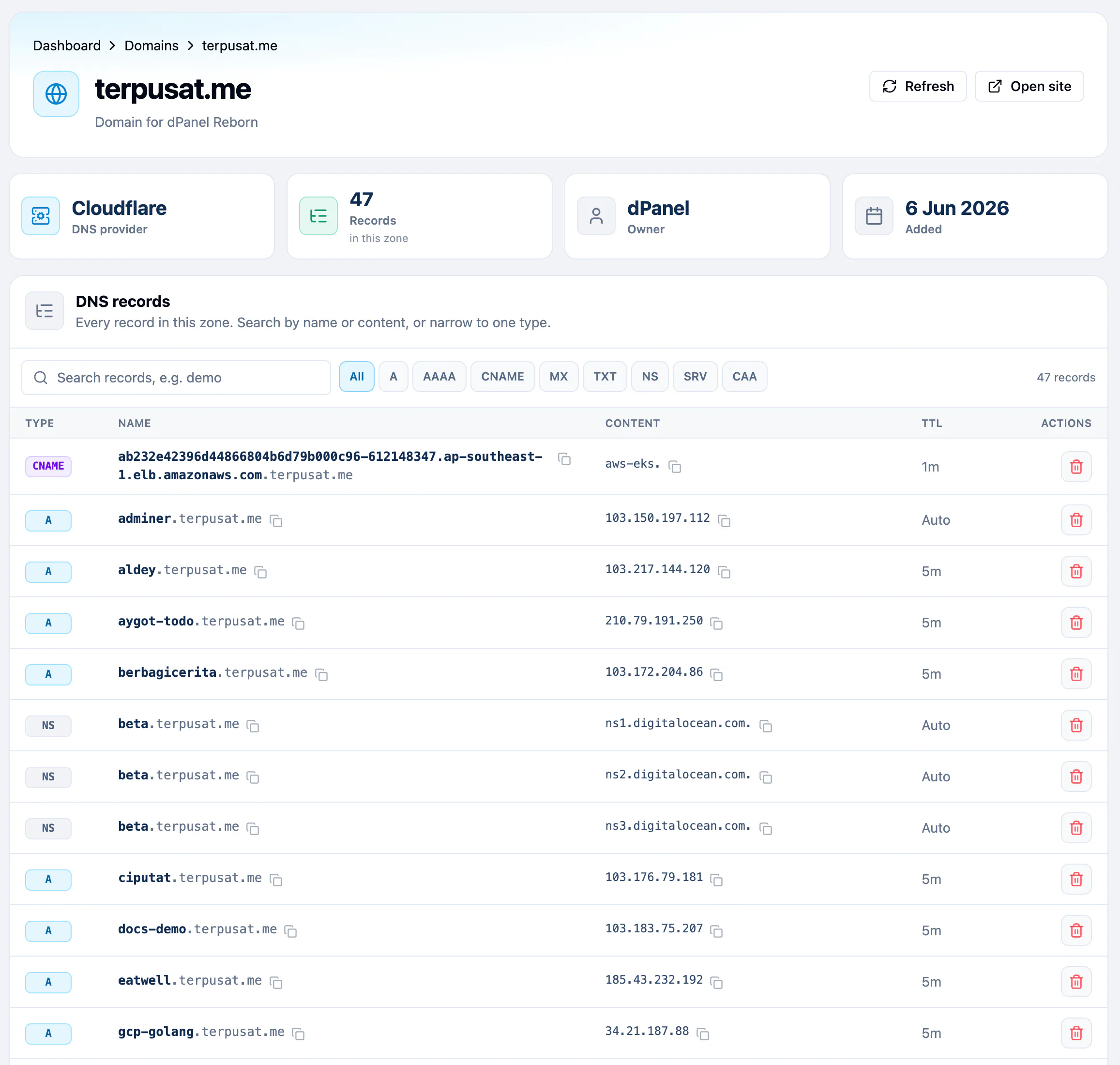
Each row shows the record's Type, Name, Content and TTL (time to live: how long other computers may remember the answer before asking again). A name at the zone apex reads root, and a Cloudflare TTL of 1 second reads Auto. Records come 20 to a page; use the page buttons below the table for more.
Find a record
- Type part of a name or a value in Search records, e.g. demo. The list updates as you type, upper and lower case do not matter, and the text that matched is highlighted.
- To narrow the list to one record type, press a chip: A, AAAA, CNAME, MX, TXT, NS, SRV or CAA. Press it again, or All, to see every type.
- The count changes to the number of matches, such as 2 matches.
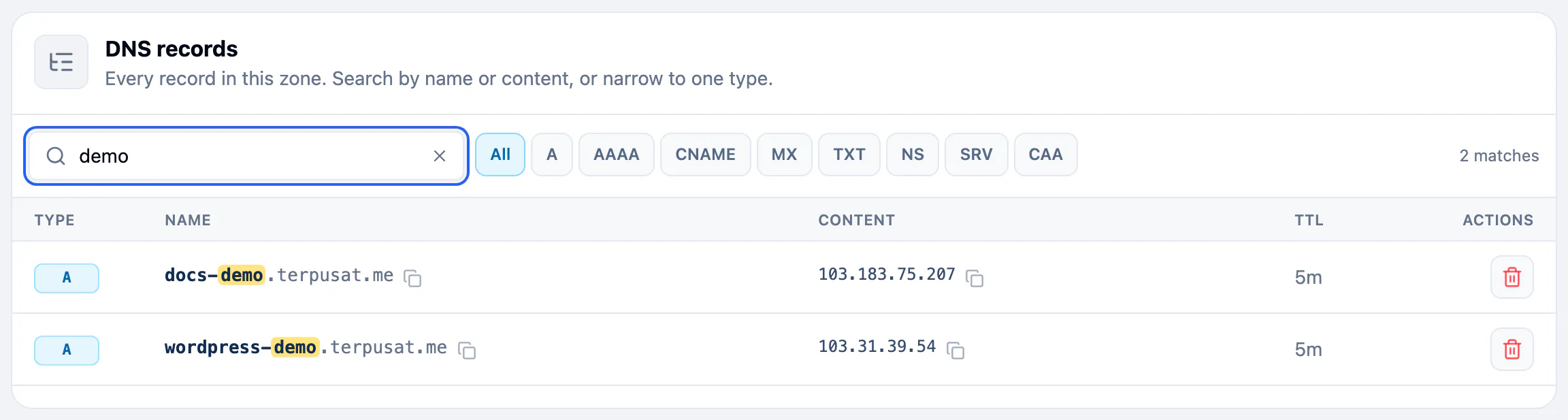
When nothing matches, the table says so, for example No A records match "demo"., and Clear search and filter shows every record again.
Copy a name or a value
On a record's row, press Copy name or Copy content. dPanel confirms with Copied and the value. Use it to paste a record into a support ticket, or to check what an old name pointed at.
Delete a record
- On the record's row, press Delete.
- Confirm Delete Domain Record.
There is no form to add a record by hand. dPanel creates the A record itself when a load balancer uses a Managed domain.
Frequently asked questions
Can I search DNS records by IP address?
Yes. The search matches a record's content as well as its name, so typing an IP address finds every record that points at it.
Why does a record show TTL Auto?
Cloudflare uses a TTL of 1 second to mean "automatic", and lets Cloudflare pick the real value. dPanel shows it as Auto.
Are the records up to date?
Yes. dPanel reads the zone from your DNS provider each time you open the page, search, or press Refresh at the top of the page.
What should I clean up after deleting a load balancer?
Check whether its A record is still in the zone. Search for the host name and delete the record if you no longer need the name.
Is the search case-sensitive?
No. Demo, DEMO and demo find the same records.