dPanel passes environment variables to your application from two separate lists, so a setting only the build needs never reaches the running service, and secrets such as API keys stay out of your Git repository.
An environment variable is a named setting, such as PORT=9307, that your program reads when it starts instead of having the value written into the code. See the Glossary.
| List | Used | Typical contents |
|---|---|---|
| Build-time variables | Only while the build steps run | CGO_ENABLED=0, NODE_ENV=production |
| Runtime variables | By the running service | A port, a database address, API keys |
Set them when you create the application
In step 4, Environment, type one KEY=value pair per line in Build-time variables or Runtime variables.
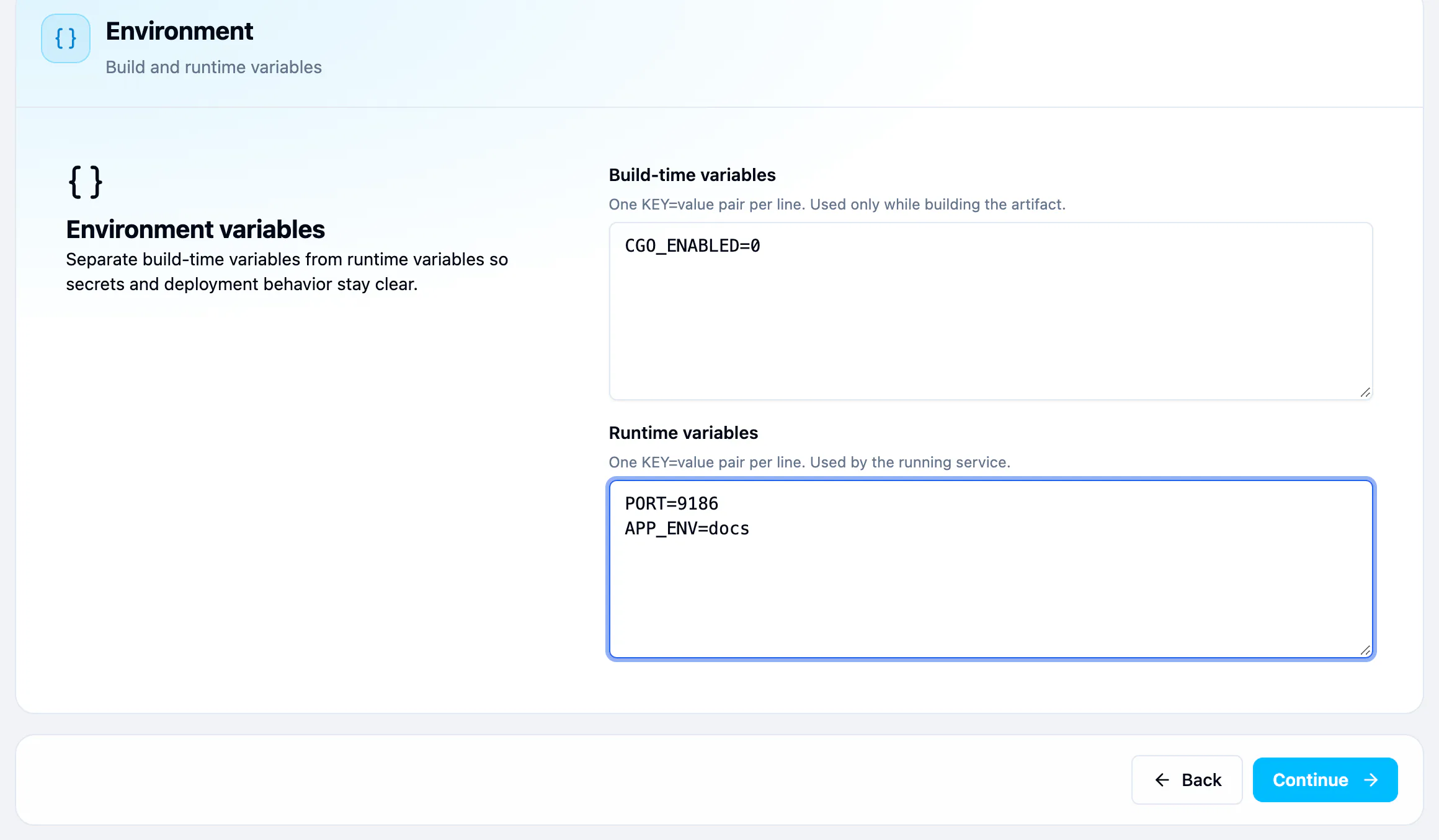
PORT=9307
APP_ENV=production
Change them later
- Open the application and go to Settings.
- Under Build or Run, find Environment variables and press Edit.
- Add, change or remove variables, then press Save.
- Release again with Build and release or Redeploy, so the service starts with the new values. See Deployments and rollback.
You can also change both lists in Edit settings, the full form. See Update or delete an application.
You can also ask Ask dPanel to do this for you; see Prompt cookbook. Secret values are never typed in the chat: the approval card asks for them, and the assistant only sees the names.
Keeping secrets safe
- dPanel never shows a variable's value after you save it. Settings lists the names only, with the value masked.
- Keep secrets in Runtime variables unless the build really needs them.
- Do not commit secrets to the repository. dPanel passes these variables in for you.
Frequently asked questions
Do I need to redeploy after changing a variable?
Yes. The running service keeps the values it started with. Release again with Build and release or Redeploy so it starts with the new ones.
Can I see a secret after I saved it?
No. dPanel masks every value once it is saved. Keep your own copy in a password manager, or set a new value.
Should a database password be a build-time or a runtime variable?
Runtime. Only the running service connects to the database, so the build never needs it.
Can I put variables in a .env file in my repository?
You can, but anything committed to Git can leak. Keep secrets in dPanel's Runtime variables instead.