When something in dPanel fails, ask Ask dPanel, the dPanel AI assistant, "Why?". It gathers the evidence a person would: the deployment, its build and runtime logs, the failed job, the server's CPU, memory and disk, and for a website the load balancer's logs and HTTPS certificate. Then it quotes the lines that matter, names the likely cause, and proposes a fix you can approve.
You don't need to know where the logs are. That is the point.
Ask about the problem
Describe what you see, and name the thing that fails:
Why is application Shop failing on server 145?Why did the last build of application Shop fail?My site shop.example.com shows a 502 error. Find out why.Did any job fail in the last 24 hours? Tell me why the most recent one failed.Server 145 feels slow. Is it out of memory or disk?Is the load balancer for shop.example.com healthy? Check its certificate and recent errors.
Read the diagnosis
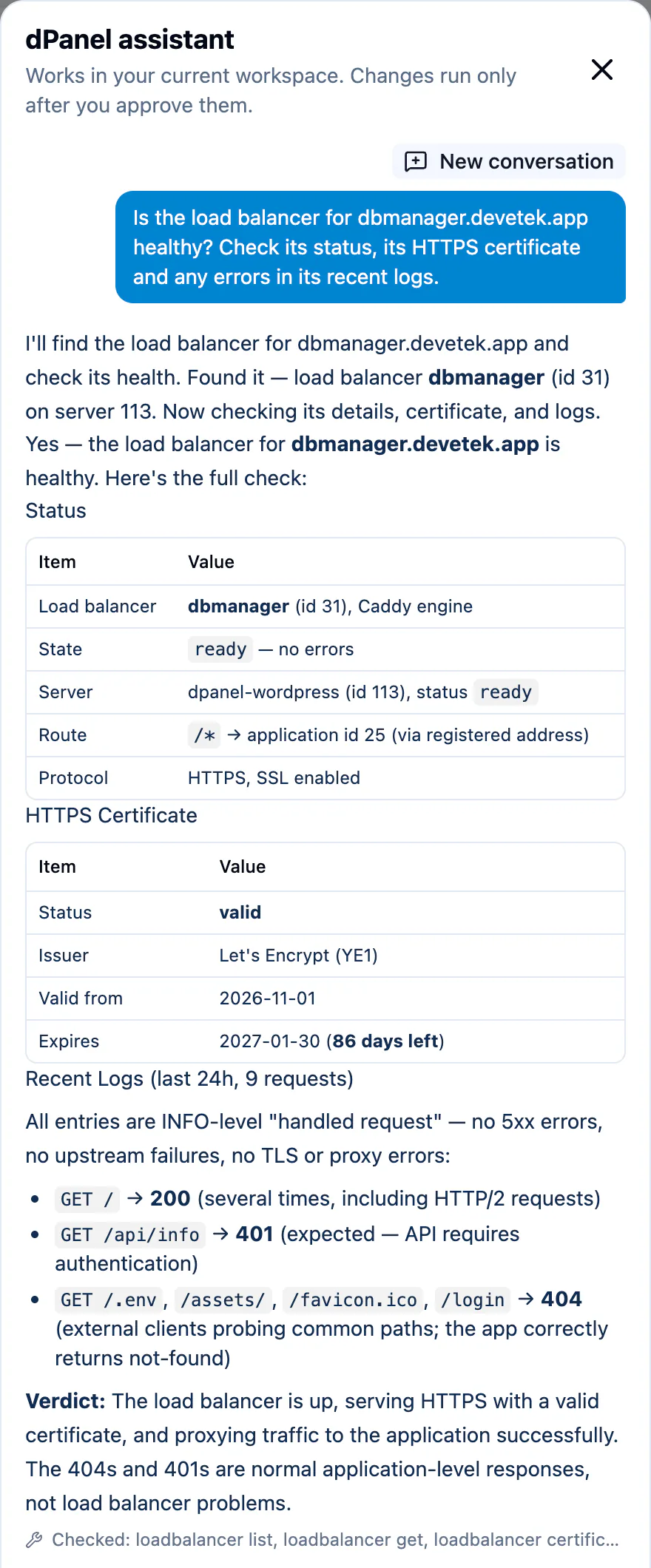
A good diagnosis has three parts:
- The evidence: the error line from a log, the failed job's message, or a number such as "disk 97% full".
- The likely cause, in plain words.
- The fix, in dPanel. When the fix is a change, such as updating the build command and deploying again, the assistant proposes it as a card for you to approve.
If the evidence is not conclusive, the assistant says what it checked and what it could not tell. Checked: under the answer lists every source it read, such as deployment get, application logs and server usage.
What it looks at
| Problem | What the assistant reads | Typical fixes it proposes |
|---|---|---|
| A build failed | The build's log | Fix the build command or a missing runtime, then deploy again |
| An app does not start or crashes | The deployment, the runtime log, the server's memory and disk | Fix the start command or an environment variable, then deploy again |
| A website shows an error | The load balancer, its access logs and certificate, and the application behind it | Re-route the load balancer, or fix the application |
| A job failed | The job and its error | Run server setup again, install a missing module, retry |
| A server is slow or full | CPU, memory and disk usage | A bigger server, or removing old builds |
| A port does not answer | The server's firewall rules and what an apply would change | Allow the port and apply the firewall |
Follow a long job
Builds, deploys, installs and server setup take minutes. After you approve one, the assistant checks it once and reports. It does not keep watching. Ask again for progress:
Is the deploy of Shop finished?Did the MariaDB install on server 145 succeed?
You can also follow jobs yourself. See Reading logs and Application logs.
When to look yourself
The assistant reads the same logs you can open, so it can miss what the logs do not say. Look yourself, or ask a person, when:
- the answer says the evidence is not conclusive;
- the problem is inside your application's own code;
- the problem is outside dPanel, such as your domain registrar or a third-party service.
See Troubleshooting for common problems and their fixes.
Frequently asked questions
Can the assistant read the data in my database to find a bug?
No. It cannot run SQL or read your data. It can give you the DB Manager link so you can look yourself.
Can it log in to my server to check something?
No. It has no shell or SSH access. It reads what dPanel and the dPanel agent on the server report, such as logs and usage.
Will it fix the problem without asking?
No. Every fix is a card that waits for your Approve. See Approve or reject changes.
The assistant says it "needed too many steps". What do I do?
Ask about one thing at a time, and name it: "Why did the last build of application Shop fail?" rather than "What is wrong with everything?".